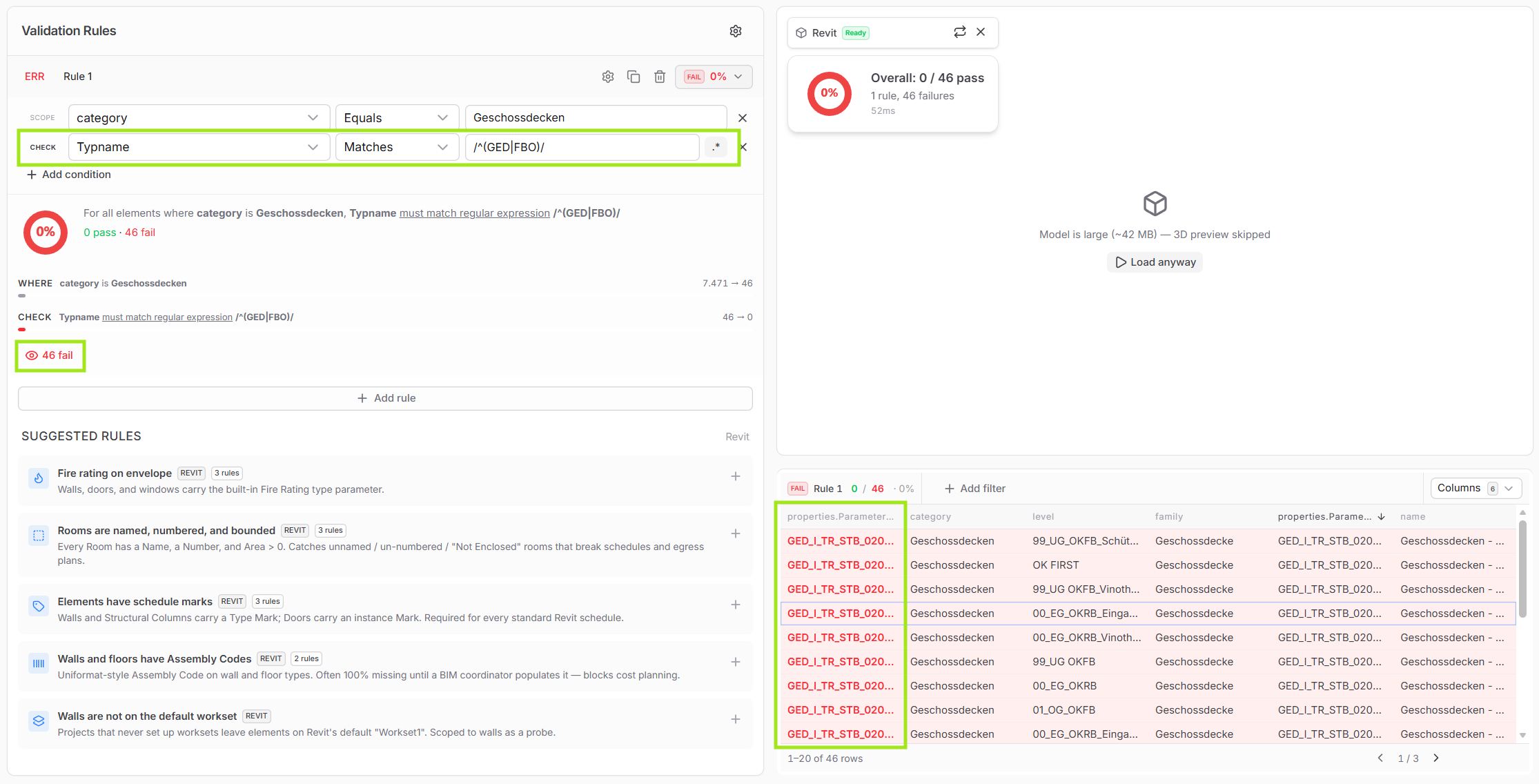
Thanks @jonathon for making that clear. Adding the .* to the end of the regex does indeed work.
I think the current setup - given that the docs reflect that - is actually sufficiently flexible. “Matches pattern” to me indicates a full-string match, but throwing regex into the mix implicated to me that wildcards and prefix matching are also possible (which they are, as I know now).
Our primary use case right now is to make sure that all elements match our naming conventions. We had a lengthy discussion about this just last week, because when checking for parameter value consistency, we have to be able to identify elements in a way that we’re 99% sure “what” they are. This is not easy for Revit elements, because apart from the element category, nothing is really hardcoded in Revit - for elements of category “Walls” you can be confident they’re some sort of wall, but not if they’re load-bearing, interior/exterior facing, what material they’re made of, what assembly code they should have etc. because those properties all have to be entered by hand and are therefore error prone.
And it gets even more complicated for everything that is not a system family - everything apart from walls, floors and roofs, basically - because for loadable families, you can even change the family category manually. So technically, you could have a structural column mis-labeled as a furniture element, and you would have no indication whatsoever of what you’re dealing with.
After a lot of discussion, we finally settled on one universal rule: Every element family (for loadable families) or family type (for system families) has to be named according to our naming conventions. If we assume that every element is named correctly, we can identify it and construct our parameter checks from there. For instance, a wall named WAN_I_NTR_GIK_0150_Einfachständerwand would be a Wall (WAN), interior (I), non-load bearing (NTR), made of gypsum plaster board (GIK) with a thickness of 150 mm.The free text at the end gives additional information about the characteristics of the element.
From here, we could - for instance - check that the cost group parameter is set to 342, which is the correct cost group for non-load bearing interior walls according to german DIN 276 specification, or that the element is located on the appropriate workset.
But because this all hinges on element naming, making sure the naming is correct is absolutely crucial.
Here is an example of our naming convention for floors:
Thanks for noting my interest in ruleset editing - I’m excited for what’s to come.