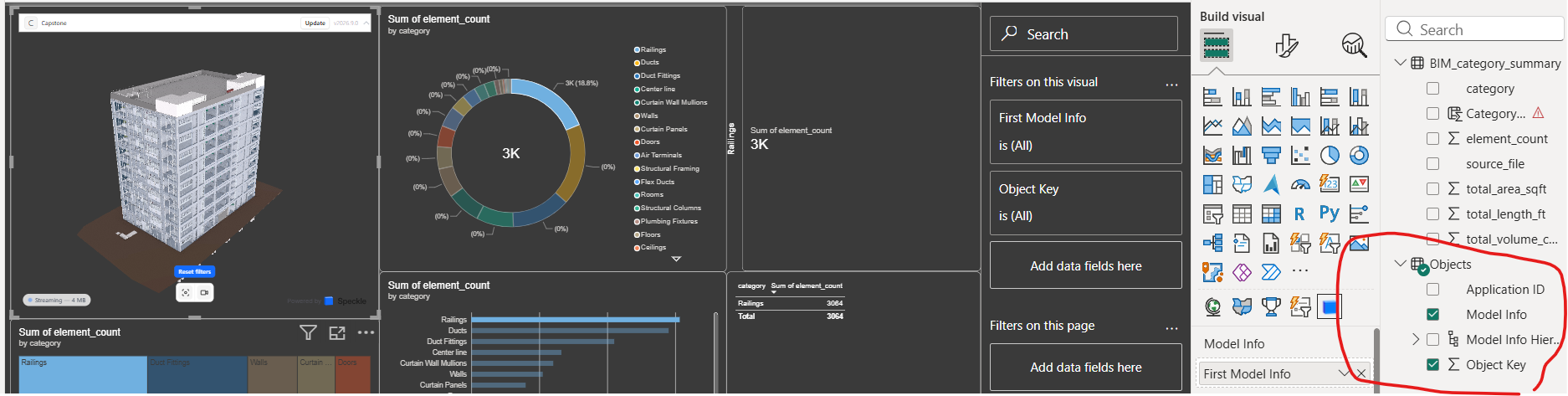
Anyone as any idea on my problem that i am facing ?, when i use the Revit import to power BI its show all the properties but when i use navis work to combine all the same model from revit to navis work to speckles why the properties has limited ?. i cant call category id and element,area,volume all are missing in my speckle model.
There’ quite a lot of information you could give which wouldd help give a better answer.
Version of Navisworks Connector -
Version of Revit Connector
or were both drag and drop upload
Are you sending to app.speckle.systems or another server
Version of PowerBI Connector & Visual
Aside from all that helpful information, what you describe is pretty much as expected behaviour. Navisworks aggregating a Revit file - makes is it a Navisworks file.
While properties in one view may look the same name, all the structuring of it into property groups nested into a heirachy that now also includes the individual model names - its different data.
BUT
its possible to find but you will need to do more querying to get the same values out in your data source.
Try to take a look at our docs:
these include several workthroughs and FAQs
If you are changing an existing workbook having recently started using v2026.9 connectors and server there is a separate migration notice here: