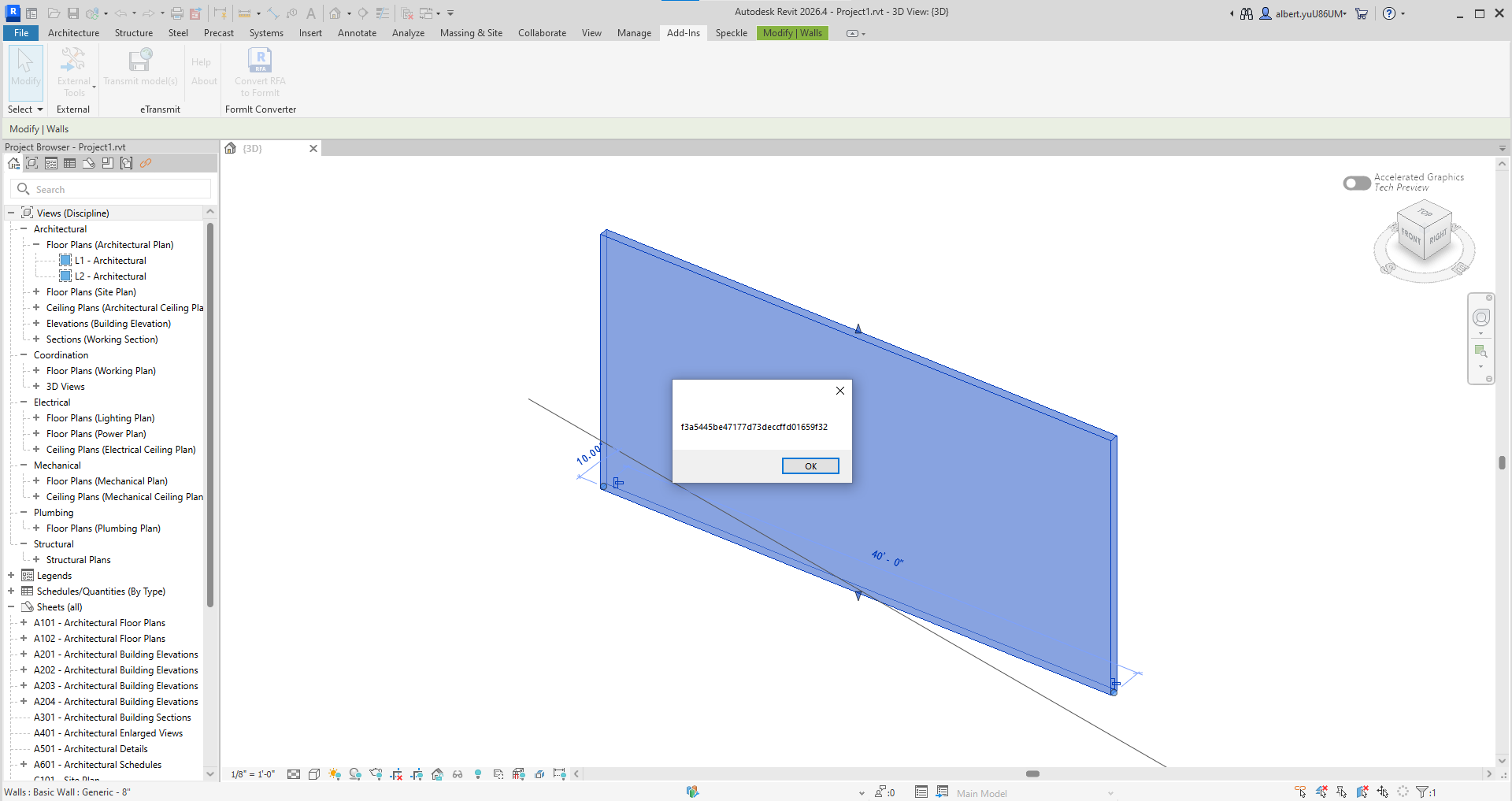
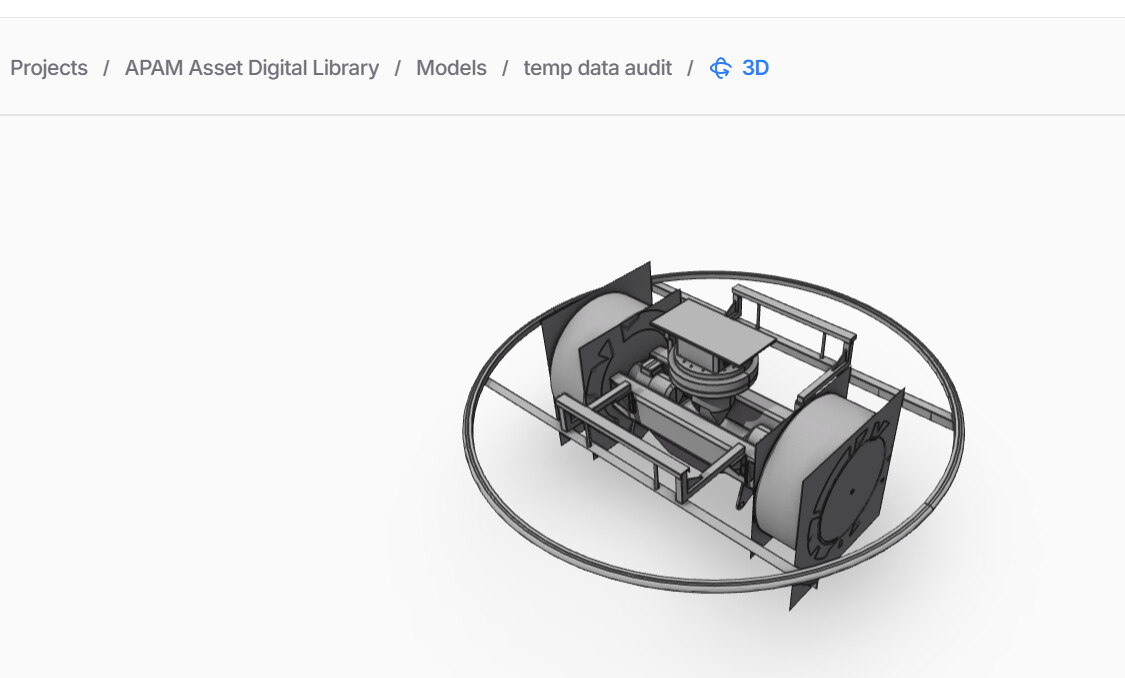
I am developing Revit 2026 API and Speckle API to automatically upload selected elements to Speckle cloud. Because Speckle.Core is deprecated, I have no idea how to fix Speckle API 2026. Here is my code. Could any give me a direction, please?
              Account account = AccountManager.GetDefaultAccount();
              if (account == null)
              {
                  TaskDialog.Show("Speckle Error", "No account found. Please log into Speckle Manager.");
                  return Result.Failed;
              }
              ICollection<ElementId> selectedIds = uiDoc.Selection.GetElementIds();
              if (selectedIds == null || !selectedIds.Any())
              {
                  TaskDialog.Show("Speckle Notice", "Please select one or more elements first.");
                  return Result.Succeeded;
              }
              Base commitRootObject = new Base();
              List<Base> speckleElements = new List<Base>();
              foreach (ElementId id in selectedIds)
              {
                  Element element = doc.GetElement(id);
                  if (element == null) continue;
                  Base speckleElement = new Base();
                  speckleElement["applicationId"] = element.UniqueId;
                  speckleElement["revitCategory"] = element.Category?.Name ?? "Uncategorized";
                  speckleElement["elementId"] = element.Id.ToString();
                  speckleElement["name"] = element.Name;
                  speckleElements.Add(speckleElement);
              }
              commitRootObject["@elements"] = speckleElements;
              string streamId = "YOUR_PROJECT_ID_HERE";
              IServiceProvider serviceProvider = SpeckleSDK.Container;
              ISpeckleHttp http = serviceProvider.GetRequiredService<ISpeckleHttp>();
              ISdkActivityFactory activityFactory = serviceProvider.GetRequiredService<ISdkActivityFactory>();
              using ServerTransport transport = new ServerTransport(
                  http: http,
                  activityFactory: activityFactory,
                  account: account,
                  streamId: streamId,
                  timeoutSeconds: 60,
                  blobStorageFolder: null
              );
var transports = new List<ITransport> { transport };
              string objectId = Task.Run(async () =>
                  await Operations.Send(
                      @object: commitRootObject,
                      transports: transports,
                      disposeTransports: false, // The 'using' wrapper handles disposal
                      cancellationToken: CancellationToken.None
                  )
              ).Result;
              using (Client client = new Client(account))
              {
                  var versionInput = new VersionCreateInput
                  {
                      objectId = objectId,
                      projectId = streamId,
                      branchName = "main",
                      message = $"Uploaded {speckleElements.Count} selected elements with no parameters."
                  };
                  string versionId = Task.Run(async () => await client.Version.Create(versionInput)).Result;
                  TaskDialog.Show("Speckle Success", $"Successfully uploaded {speckleElements.Count} elements!\n\nVersion ID: {versionId}");
              }
              return Result.Succeeded;
Before suggesting replacement code, can I check the context of what you are building?
From the snippet, this does not look like the standard Speckle Revit connector workflow. It looks more like a custom Revit add-in that is trying to create and send Speckle objects directly.
A few questions would help:
Is this based on a fork or modification of the old Speckle Revit connector?
Was the previous working version built against the v2 Revit connector / v2 kits / Speckle.Core converter system?
Are you running this inside your own Revit plug-in, rather than using the official Speckle Revit connector?
Do you expect this code to convert real Revit elements, including geometry and parameters, or are you only trying to send lightweight metadata objects?
The code posted is unlikely to work as-is in v3. The bigger issue is not just a renamed namespace or deprecated package. If this depends on the old v2 kit/converter architecture, there is no direct drop-in replacement in v3.
Once we understand whether this is a forked connector, a custom plugin using the old converter, or a new lightweight metadata exporter, we can give better guidance.
Thanks for your reply, and apologies for my unclear post and ambiguous request for support.
First of all, let me introduce my team workflow using Revit and Speckle API. We are using Revit and Speckle API to extract and convert elements into base, then send them to the Speckle cloud.
To echo your response, I am only trying to send lightweight metadata objects (pure graphics without Revit parameters).
In V.2, I can refer Speckle.Core API to use KitManager to convert elements and apply Helpers to send Base to Speckle. However, V.3 deprecates Speckle.Core and puts conversion function in Speckle.SDK.
Could you please give me the guidance on how to use V.3 to implement the following:
Convert elements into IList
Set up ServerTransport for authenticating the account and token
Since you’re building a custom add-in sending lightweight metadata only (no geometry, no parameter conversion), the path forward in v3 is simpler than a full connector migration — but the architecture has changed enough that a code drop-in won’t work.
A couple of things worth understanding before writing any code:
Base still works, but v3 introduces higher-level conventions that give you much wider compatibility with the rest of the Speckle ecosystem. Rather than building on Base directly, it’s worth looking at DataObject — this is what the Revit connector extends as RevitObject.
For a custom add-in you can either conform to RevitObject if you want your data recognised by other Speckle tooling, or define your own DataObject subtype.
It’s also worth looking at Collection, which is the conventional way to structure hierarchy (the Revit connector uses File → Level → Category → Type).
You don’t have to use these because Speckle will accept plain Base objects, but following the conventions means your data will behave predictably in the viewer, in Automate functions, and in any downstream tooling.
Kits no longer exist. If your v2 workflow relied on KitManager and the converter kit architecture, there is no equivalent in v3. For lightweight metadata without geometry that isn’t a blocker, but it’s worth knowing the model has changed fundamentally.
Have a read through the data schema docs and the Revit schema to get a feel for the object model, then come back with questions and we can go from there.
However, I have issues in ServerTransport and Operations. In V1, we only need account and streamID as properties in ServerTransport. Now, we need both http and activityFactory. What are the functionalities? Secondly, I am confused about how to use Operations.Send properly.
Speckle.Sdk.Models.Base commitRootObject = new Speckle.Sdk.Models.Base();
List<Speckle.Sdk.Models.Base> speckleElements = new List<Speckle.Sdk.Models.Base>();
//conver to base
foreach (Element e in elements)
{
    Speckle.Sdk.Models.Base speckleelement = new Speckle.Sdk.Models.Base();
    speckleelement["applicationId"] = e.UniqueId;
    speckleelement["revitCategory"] = e.Category?.Name ?? "Unknown";
    speckleelement["elementId"] = e.Id.ToString();
    speckleelement["name"] = e.Name;
    speckleElements.Add(speckleelement);
}
commitRootObject["@elements"] = speckleElements;
//Account
string url_ = "https://app.speckle.systems";
Account account = new Account();
account.token = token;
account.serverInfo = new Speckle.Sdk.Api.GraphQL.Models.ServerInfo
{
    url = url_
};
//ServerTransport
Speckle.Sdk.Transports.ServerTransport transport = new Speckle.Sdk.Transports.ServerTransport(http:, activityFactory:, account, stream);
//Send
var objectId = await Operations.Send(
    transports: transport,
    onProgressAction: null,
    cancellationToken: default).ConfigureAwait(true);
The v3 SDK uses a lot of depedency injection patterns.
So in general most classes are not designed for you to new them up directly.
Instead you should resolve these from a DI container.
You might already have one setup correct, you’re previous code snippet made reference to IServiceProvider serviceProvider = SpeckleSDK.Container;
But incase you don’t have it setup, you can create one like so
    var serviceCollection = new ServiceCollection();
    serviceCollection.AddSpeckleSdk(
      s_application,
      HostApplications.GetVersion(HOST_APP_VERSION),
      Assembly.GetExecutingAssembly().GetVersion(),
      typeof(Point).Assembly
    );
    var serviceProvider = serviceCollection.BuildServiceProvider();
Then from the serviceProvider, you can resolve IServerTransportFactory which will make it a lot easier to create ServerTransports…
same goes for IOperations.
In general, if a class has a matching interface, then you’re meant to resolve it via the interface or via a factory.
The more DI native way involves registering your own services to the DI container, and resolving dependencies via constructor injection. You may wish to read up on dependency injection in .NET if you’re not familiar.
Thanks for the instructions. It is very clear. I’ve almost approached my integration.
I guess ServiceCollection is from Microsoft DI. However, when I am using AddSpeckleSdk, it pops up an ambiguous issue which is CS0121: The call is ambiguous between the following methods or properties: 'ServiceRegistration.AddSpeckleSdk(IServiceCollection, Application, string, string?, params Assembly[])' and 'ServiceRegistration.AddSpeckleSdk(IServiceCollection, Application, string, params Assembly[])'
There are a couple of overloads for AddSpeckleSdk, several have optional arguments.
With the code you have now, the compiler doesn’t know which one to pick because there’s ambiguity.
You can solve this ambiguity, by specifying more args explicitly, or by using named args.
try specifying a non-null string value for the null you’re currently passing in…
if that doesn’t work, then use try using assemblies: [ typeof(Element).Assembly ] instead of typeof(Element).Assembly
var services = new ServiceCollection();
services.AddSpeckleSdk(
new Speckle.Sdk.Application(
“Revit”,
“revit”
),
“2026”,
“3.20.6”,
assemblies: new
{
typeof(Element).Assembly
}
);
var clientFactory= provider.GetRequiredService<IClientFactory>();
using var client = clientFactory.Create(account);

var verison = await client.Version.Create(new(root.id, modelId, projectId, "myApp", "This is a description..."), CancellationToken.None);
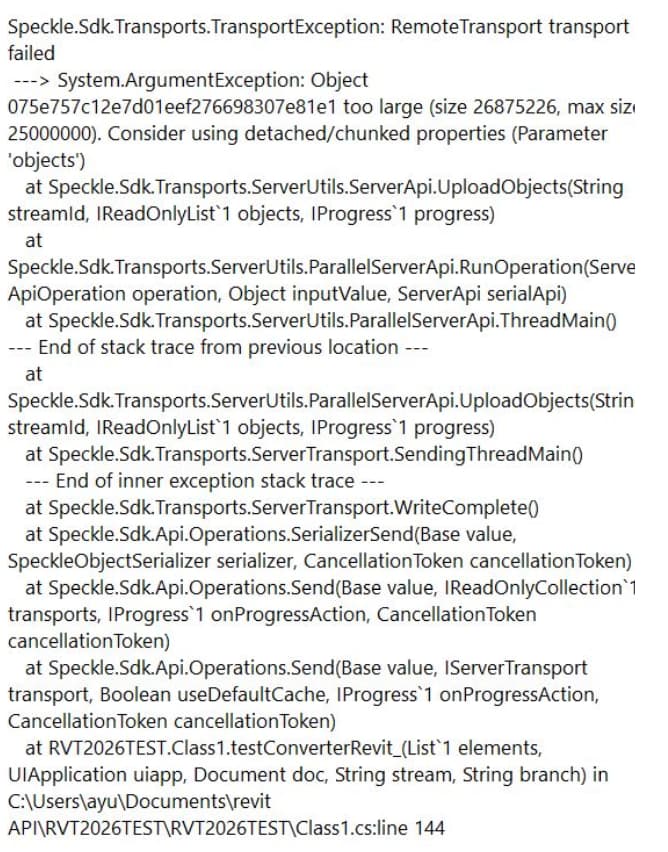
I have to create a converter for myself. However, when I am proceeding with more complex components (16 complex geometry elements, maybe 10000+ mesh), Speckle Transport cannot upload a compound object over 25mb. May I get you advice on this?
Because you’re using Base object as your root, you’re trying to send the entire lot as one really big object… and it’s exceeding certain limits in the stack.
Try using a Collection type instead of Base as the root object, and use the root.elements = displayMeshes instead of “sub-components”, as the elements prop will be detached.
You may also want to read up on Speckle’s Data schema - Speckle Docs, as there have been changes from the v2 days that you many want to adhere to for better compatibility with v3.