I am working on a process of storing ETABS analysis results on cloud model.
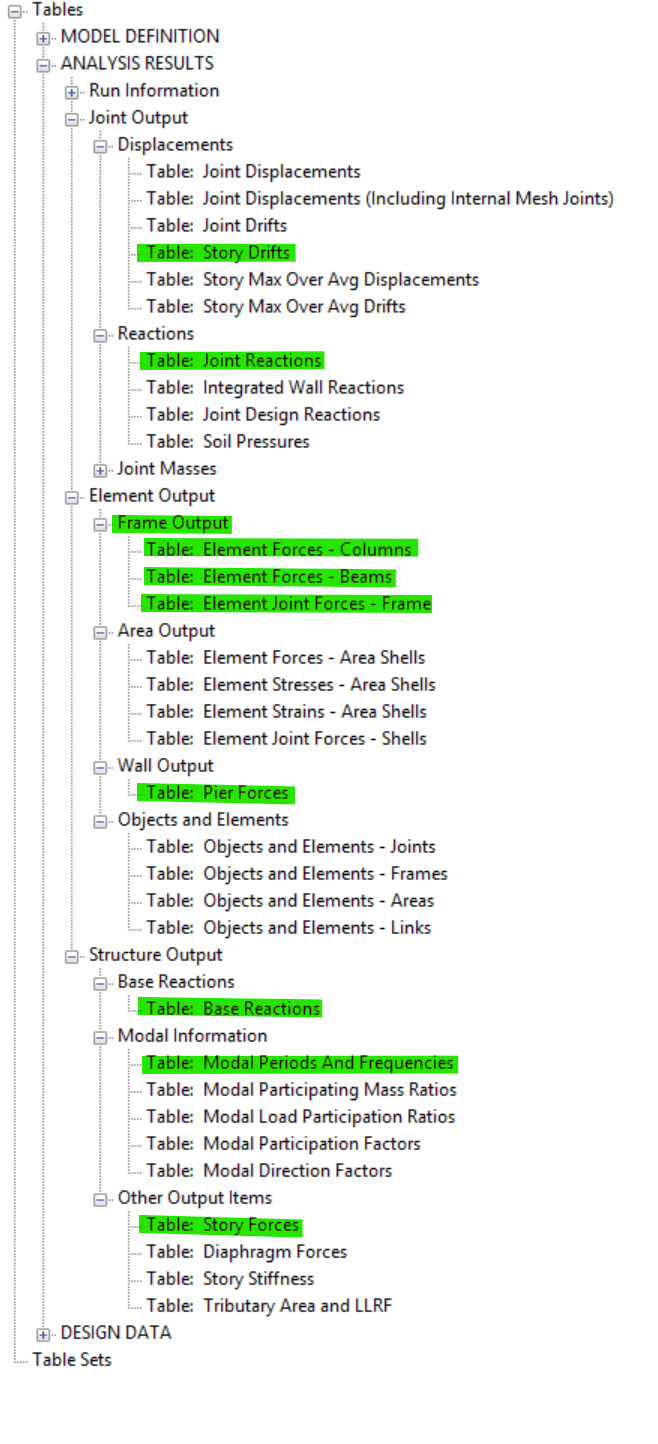
I can only find some typical result type (e.g frame forces, joint reactions, pier forces, story drifts) look like it’s missing Story Forces result. I expect the result type will be similar with results as ETABS tables give us.
I want to ask whether Speckle limits the Result Type that can be uploaded, or this is a bug on my own?
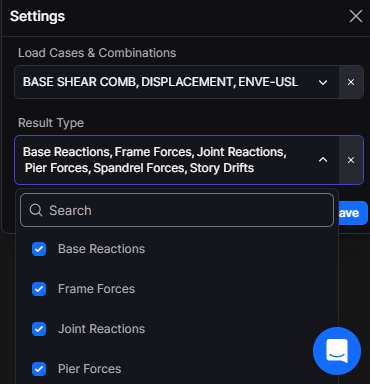
Side note: the load case & load combination on a project can be hundreds, the UX when navigating and selecting is not easy, I think. There is no “select all” option.
Thank you for the feedback. Since we just released the ability to export analysis results, we value this type of feedback. Some follow-ups / remarks:
Missing analysis results - we have intentionally started with a curated subset of typical result types. I will add story forces results for you . Are there any other specific result types that would unlock your intended workflow?
Result structure - we are not opinionated on the results extracted (i.e. all rows and columns can be extrapolated from the export). Having said that, the results are grouped as a nested dictionary structure to minimise the data footprint on export. How are you intending on consuming the reults for your workflow?
Limiting the result type that can be uploaded - the provided result types are intended to be targeted and limited to desired workflows. So, name things that are missing for you and we can add them. Not quite sure what you are referring to as a bug? The available result types? You will not see all possible analysis result types purely because of the potential to drastically impact performance (e.g. someone exports all node displacement results for the entire model!).
UX Select all Option - great feedback, thanks! We already have easing navigation on the dropdown as a ticket. Thanks for the nudge. We’ll look to get this in for you. On a potential “Select all” functionality - this can be added for load cases and combinations but we must be cognisant of the upload speed impact this will have.
In polishing and refining this feature we would appreciate some more insight on your intended workflow. Are you able to share your “dream scenario” with us? How would this workflow look?
ETABS Model -> Publish to Speckle with analysis results -> ___ ?
Thank you for your response. Here are some of my follow-ups:
Result Types: results type can be grouped into 2 based on a structural engineer perspective.
Building Response: including modal information, story forces, story drifts, base reaction, etc. this information can be found under Structure Output in ETABS tables, and it is necessary for engineers to give preliminary judgement before jumping into structural design process.
Element Forces: including element forces (frame, piers, spandrels, joint displacement, etc.) I believe we have already got some of these.
So, from a structural POV, I expect I would get those results out from ETABS and uploaded to Speckle.
My current workflow: here is what I am trying to achieve right now
Building response information and element forces from ETABS model.
Publish to Speckle.
Fetch analysis results from our custom web app.
My web app will display building response results (like overturning moments, shears, story drifts, etc.) for the users (engineers).
If overall behavior of a building is good enough, then engineers can proceed to Element design workflow which can be utilized based on the Element Forces uploaded to Speckle.
My web app will use Element Forces results to provide further automation on member design (columns, beam, walls, etc.)
In short, I want to utilize Speckle to work as a “back-end” for my web app I just need to fetch the published results.
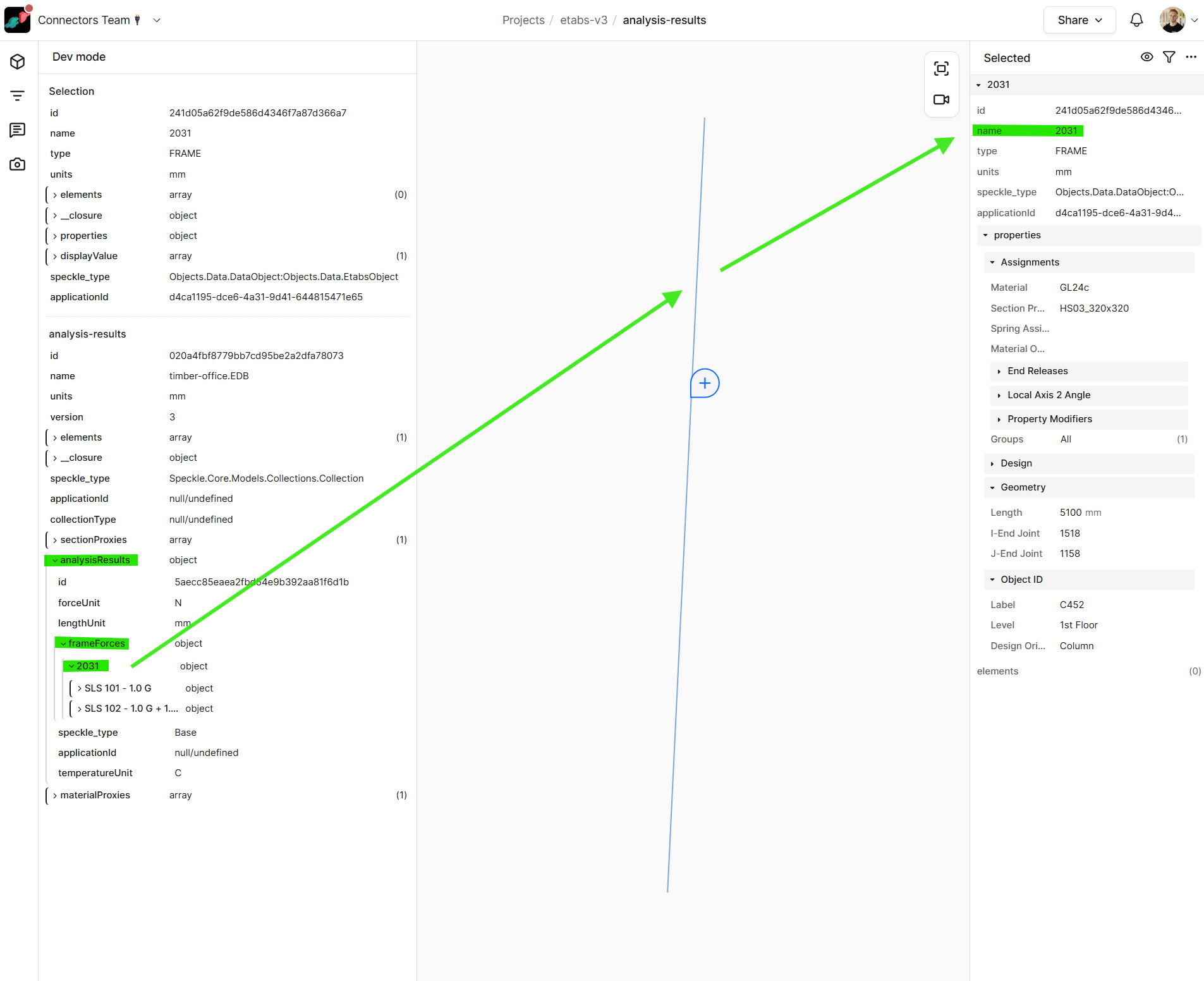
Another question, I can see analysisResults field in Dev Mode in my model, how can I get that object results and use it in a web app?
Thanks for the feedback! First things first, the UI has been updated to enable “Select all” and “Clear all”. Note that selecting all load cases and combinations for a big model will reduce your conversion and upload speeds! Better to select onerous load combinations and cases you know that you need (in the interest of data size and speeds). The scrolling on the dropdown has also been improved. Although ETABS doesn’t show the resize arrows nicely, the plugin can be resized by dragging the top left or top right corners of the plugin.
Now to your result types:
Building response:
Modal information
Story forces have now been added and will be included in the next release.
Story drifts
Base reactions
Element forces:
Frame forces (columns, beams etc.)
Pier and spandrel forces
Joint reactions
Displacements what elemental displacements do you need here?
Referring to available tables, we currently support the following highlighted results for export:
To your last question: the analysisResults is, as you noted, on the root of your collection. Getting specific results that pertain to an object, you can use the uniqueName. The key can be used in your logic to get matching object.
Hi, leeching onto this post to ask if there is a formal documentation on which analysis result tables are supported by the latest version of speckle and where I can access it.
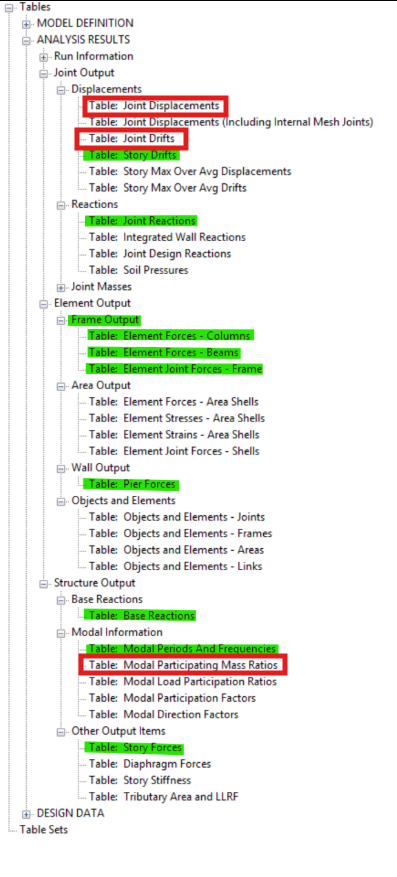
Also, requesting for a couple more tables to be added:
And lastly, does Speckle Intelligence support ETABS? Looking to see if speckle intelligence can be used to post-process ETABS model data as well as analysis results
 . Are there any other specific result types that would unlock your intended workflow?

 what elemental displacements do you need here?