Hi everyone,
I’m experiencing an issue with mesh colors when publishing models from Grasshopper to Speckle.
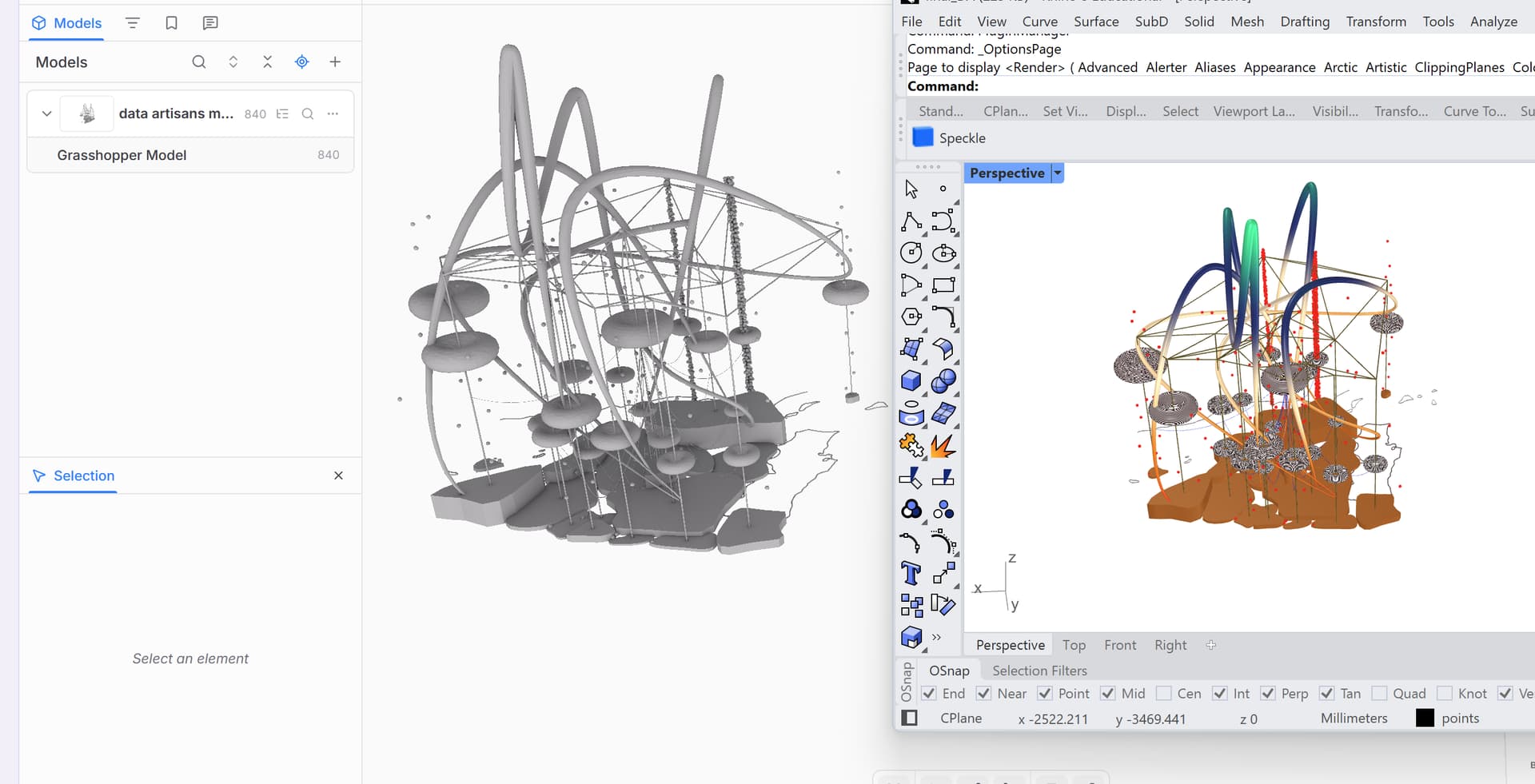
Until last month, everything was working perfectly with exactly the same Grasshopper definition. However, my meshes are now displayed entirely in grey in the Speckle web viewer, even though all their colors are correctly displayed in Rhino/Grasshopper.
I’m currently using:
- Rhino 8
- Speckle 2026.9.3.0
- Grasshopper meshes colored using
Mesh Colours, including vertex color gradients driven by spatial data such as Z coordinates. - The
Publishcomponent to send the geometry to Speckle.
As shown in the attached screenshot, the geometry is published correctly, but all the colors disappear in the Speckle viewer.
I’ve also tested this with a simple colored sphere, with the same result.
What I’ve tested:
Mesh Colours → SDO → Publish: geometry appears grey.Mesh Colours → Speckle Geometry → Publish: geometry still appears grey.- Assigning a Speckle Material: colors display correctly, but only as uniform materials.
The main issue is that I use vertex colors extensively to visualize gradients and spatial information across meshes. Assigning individual Speckle Materials is not a practical alternative, as it doesn’t preserve the continuous gradients generated in Grasshopper.
This exact workflow was working correctly until recently, and I haven’t changed the Grasshopper definition.
I suspect this might be related to recent Speckle updates or the platform migration, although I can’t confirm that.
Has anyone experienced the same issue? Is this a known regression, and is there a way to restore vertex color support without changing the Grasshopper workflow?
I’d really appreciate any help, as this functionality is essential to my projects.
Thanks in advance!