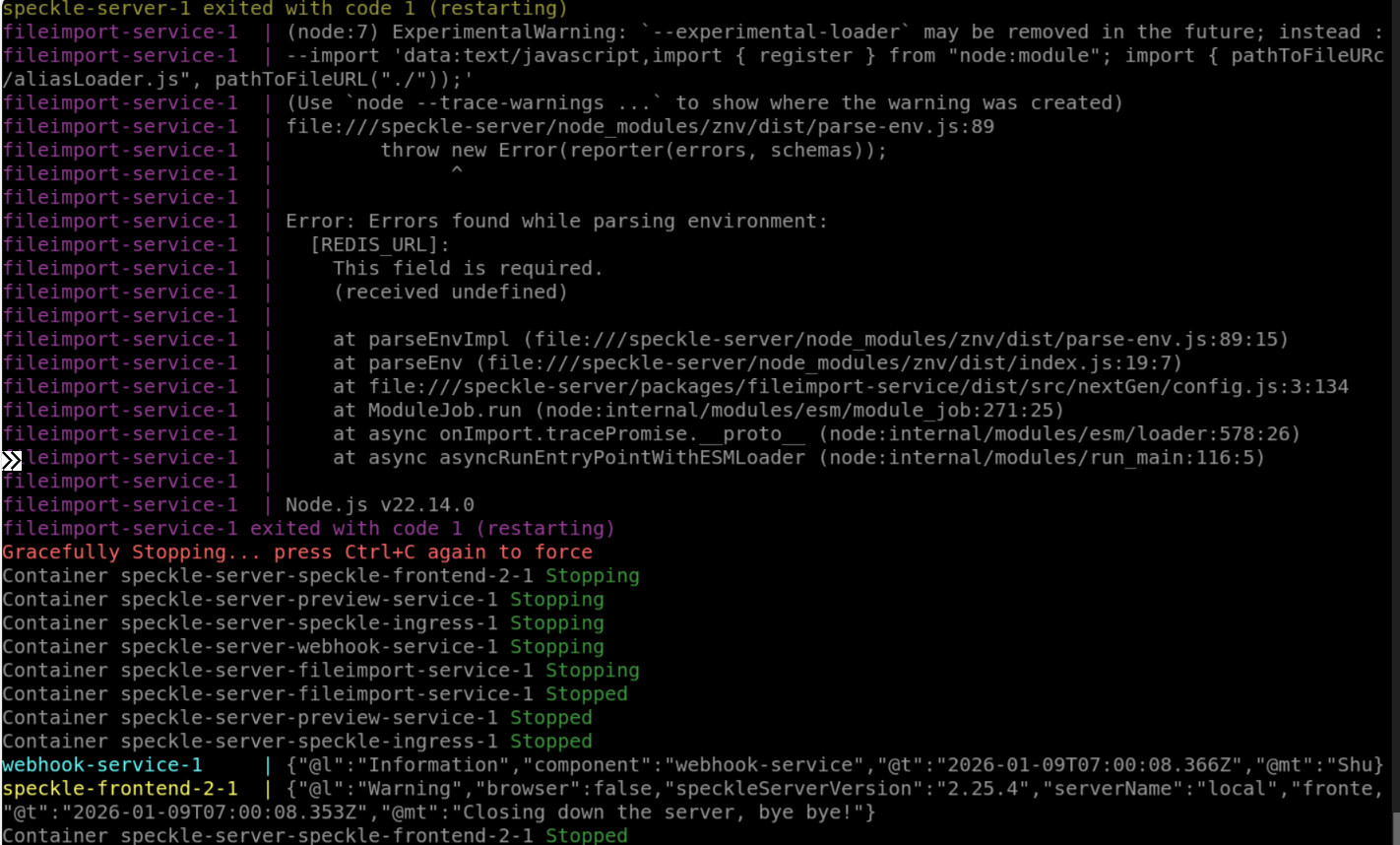
We are trying to deploy a Speckle server using Docker Compose, using Quick start guide, provided in " [Getting Started - Speckle Docs]". The location is Azure enterprise scale Linux VM. We are using “docker-compose.yml” provided in the Speckle Docs as is, by updating only the IP addess of the VM for NUXT_PUBLIC_API_ORIGIN, NUXT_PUBLIC_BASE_URL, CANONICAL_URL and FRONTEND_ORIGIN. We need help on resolving the following error:
Thanks for the quick response. I was able to set up the server successfully now. Now I am facing another challenge. We are setting up the server in Azure enterprise scale linux VM. We need to Set up SSL certificates for production use. May I know how to set up SSL from our case.