Hey @gokermu , I get the same error… have followed the steps in your solution however, it still comes up with the same error. Are there any other ways to fix this issue?
Hey @TheHoff ,
Could you try updating to the latest Power BI connector and visual first? If you’ve already cleared the token cache and are still running into issues, we’d love to help troubleshoot further.
When you get a chance, could you share a bit more context? Things like:
- Which models you’re working with
- Your Power BI report (or a sample if possible)
- Any screenshots of the error/behavior
This will help us get to the bottom of it faster!
the problem is still here. I’m on visual/powerBI 3.4.1, revit connector 3.10.
I’ve tried Privacy Level from “Organizational” to “None” and nothing is changing.
The only thing that changed is the error message

Anybody, anything?
Hey @ihsangin ,
This error occurs when you lack editor access to a model. You’ll be able to view the model in Speckle, but you won’t be able to load it in the Power BI 3D visual. Could you verify whether you have editor rights for this project?
I am the only editor for our account.
The problem goes away if I “Get Data” from the same model again. Just by linking the same model without even doing it resolves it. Then I can delete newest quesry (the one I just linked).
Thanks for the update. Just to clarify - is the issue fully resolved for you now, or not?
until it happens again. This makes it diffcult to have confidence the dashboards are going to be accessible by project teams at all times.
The benefit of dashboards is that the data is on demand 24/7. This issue severely disrupts that promise.
This is one of the reasons why we are building Speckle Intelligence 
Jokes aside, let us know if you face this issue again. I’d like to get to the bottom of it.
not the same error, but the below is something we regularly run into on our PowerBI web service dashboards as well. Usually clears when/if the end user hits refresh.
Any idea how we can avoid this issue? It is a dashboard that we share with our executives and it is somewhat embarrassing to tell them “Can you please refresh the page?”
Thanks,
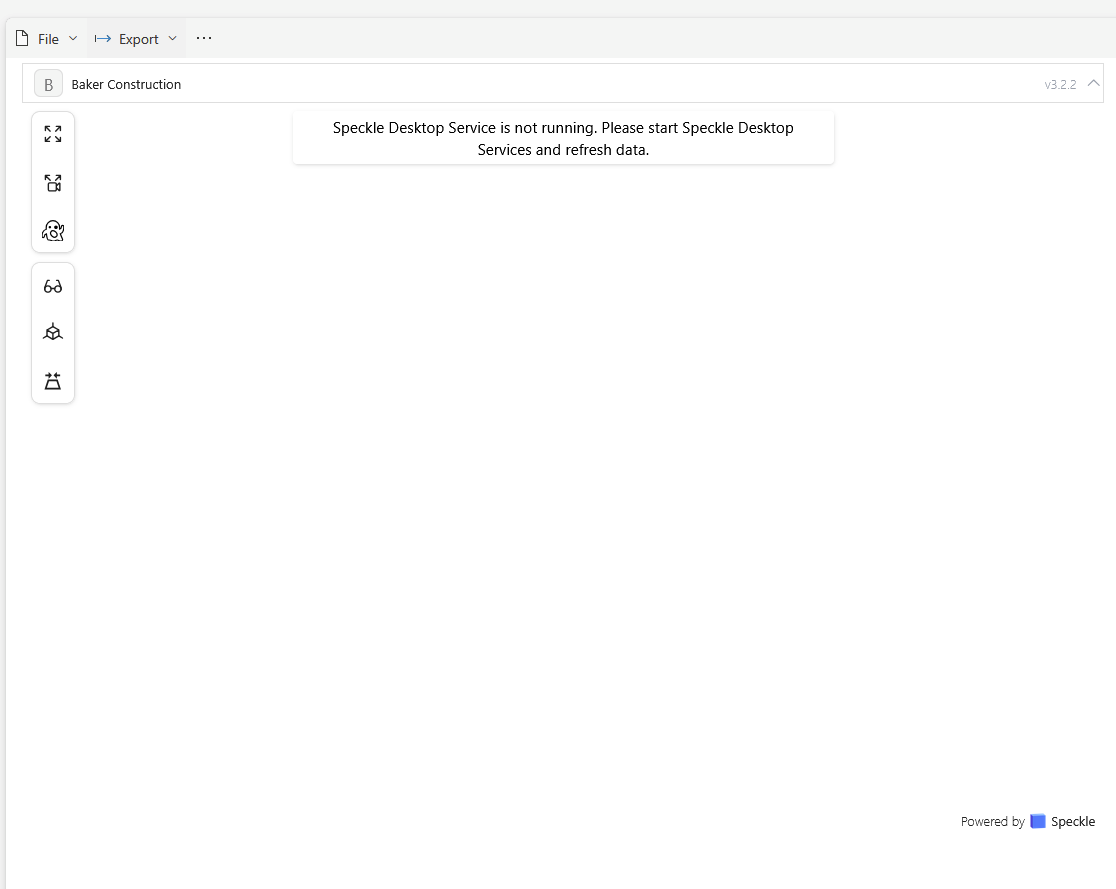
Hey @ihsangin ,
I can see from your screenshot that you’re actually still using version 3.2.2 of the visual, even though you may have the latest version of the connector installed.
When you update the Power BI connector, it installs the new version, but you need to manually replace the 3D visual in your existing reports. The visual doesn’t automatically update in place.
Here’s how to update the visual in your report:
Also, please make sure you’re running the latest version of Desktop Services (0.21.0). You can download it here.
After replacing the visual and updating Desktop Services, restart Power BI Desktop and try loading your model again. This should resolve the access error you’re experiencing.
Let me know how it goes!
Unfortunately, still the same.
To be clear, I did update all visuals, and I am running Desktop Services 0.21.0. also, to be on the safe side, I did insert an image to the dashboard to make sure there weren’t any udpate issues, and even though the image shows, I’m still having the same issue.
The thing that would have worried me more is; currently I have 8-9 dashboards, and I can open each, update the visual, but what happens when I have 40-50 dashboards? opening each PowerBI file and updating visual would be a full day ordeal.
Thanks,
Correction. I was updating the visual but not performing the table-to-visual switcheroo.
Now the issue seems to have been resolved, but my concern I’ve outlined in the last paragraph still is a significant issue.
Thanks for the help.
1 Like
Thanks for the update @ihsangin . We’re aware of this issue. Since visuals are bundled with reports, the current workaround is to remove and import the visual. We are looking for different ways to improve this experience.
One thing that could potentially help us improve our update process would be publishing the visual to the Microsoft Marketplace. However, this would mean marketplace approval delays for future updates, which would significantly slow down our release fixes compared to our current pace.
Are you using any other custom visuals in your reports? How do they handle updates?
No other visuals in my reports/dashboards.
I hope a happy medium can be found. Like I wrote, it is somewhat manageable at this time, but I can’t imagine how tedious it may become once there are 30-40+ reports to update. especially with the pace we’re getting updated connectors…
This topic was automatically closed after 178 days. New replies are no longer allowed.