I’ve noticed that the viewer is slow when handling small models. Selecting pipes and ducts that are close to each other can cause freezes. Example: Model
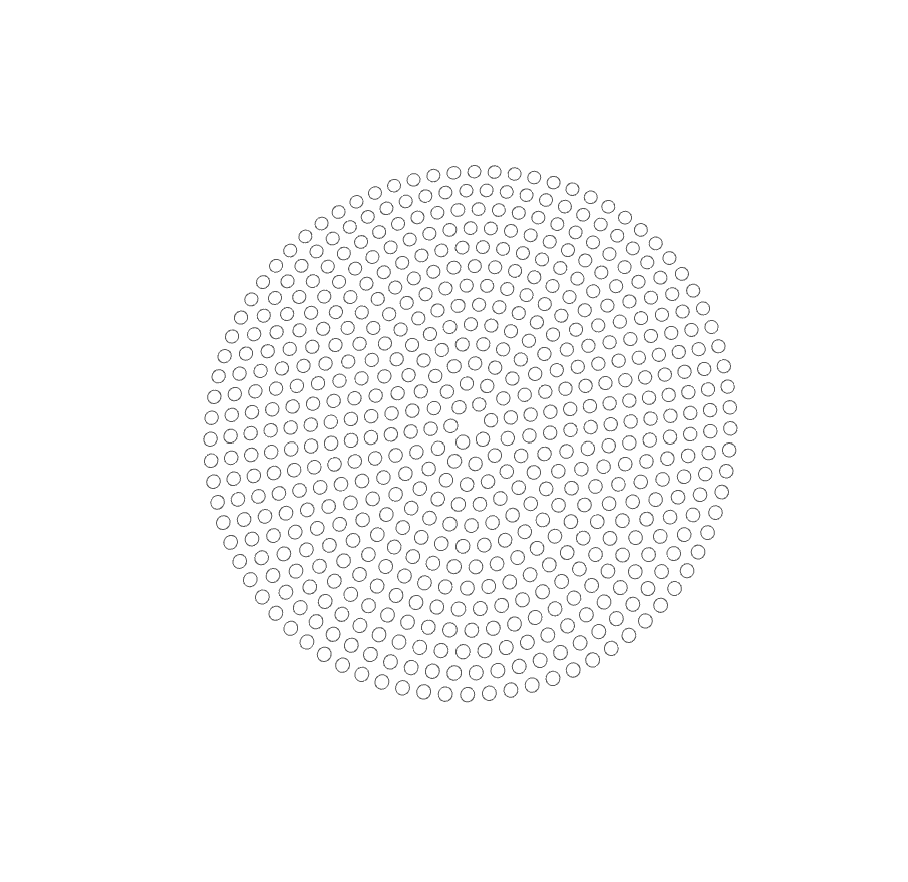
I had a look at your model, and it’s not running as it should be. The reason why, is because you have a few dozens of these circles made out of small circles
The viewer tessellates each one of those small circles as 128 points, which in turn generate 129 line segments that need to get drawn. Because you have a bunch of these ‘structures’ the total line count blows up. Additionally because these are very small, they end up at subpixel sizes which chokes the viewer even more.
The quick fix would be to remove these circles made out of smaller circles