Hello folks,
I’m pretty new to Speckle, and running into a familiar issue that has haunted me with Navisworks, and I’m curious if anyone has established ways to deal with this, or if it’s something on devs’ radar.
Basically, when I upload a model from Revit which contains nested families (in my case the top-level is an adaptive family – not sure if relevant).
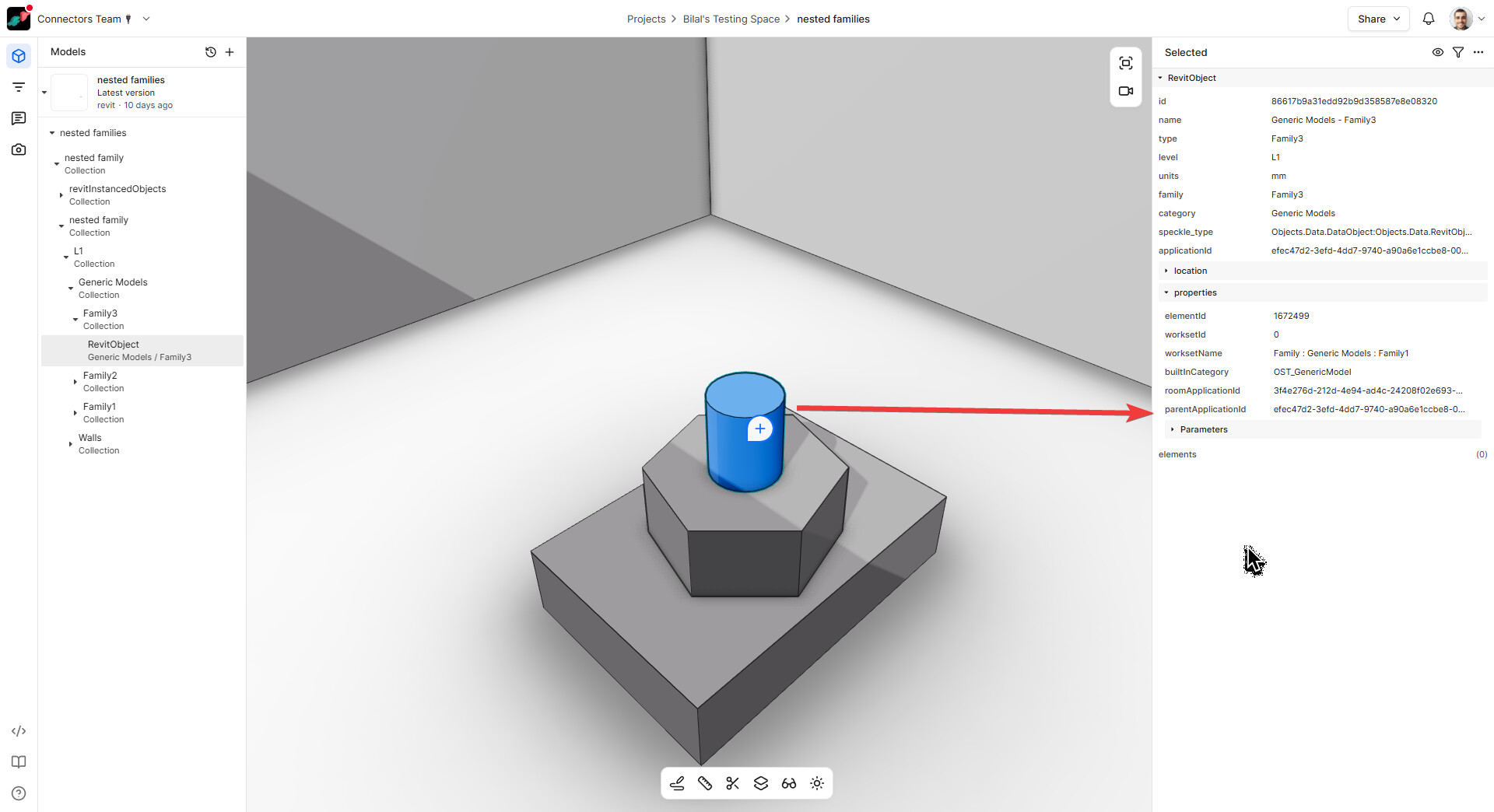
In the Speckle viewer, the shared sub-families are basically scattered across the typical hierarchy of Level > Category > Type. This makes sense, and I assume it’s a necessary link to maintain the connection to Revit.
Question 1: I assume this hierarchy could be re-worked by deconstructing and reconstructing the collection structure in grasshopper?
Question 2: In Navisworks, with a Revit model exported to .NWC, we see a similar (though slightly less coherent) issue of being unable to easily access the family hierarchy. BUT we do have access to a property called Supercomponent → Name. It looks like it is part of the Revit API used for establishing element hierarchy, and returns the name of the ‘parent’ family as property of ‘child’ elements. I don’t seem to be able to access this through Speckle filters – is this, or could this be possible?

If not, I suppose another workaround could be adding a shared parameter to all nested family elements and populating it with the name of the parent family.
Another problem here, which maybe is only solvable by a custom parameter, is that if a family has both shared and non-shared sub-elements, they may not be able to be filtered by the same built-in property. (In Navis, I do not see the SuperComponent property for the non-shared elements. Makes sense, but inconvenient in my case)
A potential workaround on the filtering side could be the ability to search multiple properties for one value in a single filter (for consistent color display, etc). I.e. if “Family name” OR “SuperComponent name” == “somevalue”.
Here’s a little sample file, where the framing members are non-shared, and everything else is shared:
https://app.speckle.systems/projects/f1436df0ef/models/3072e50b00