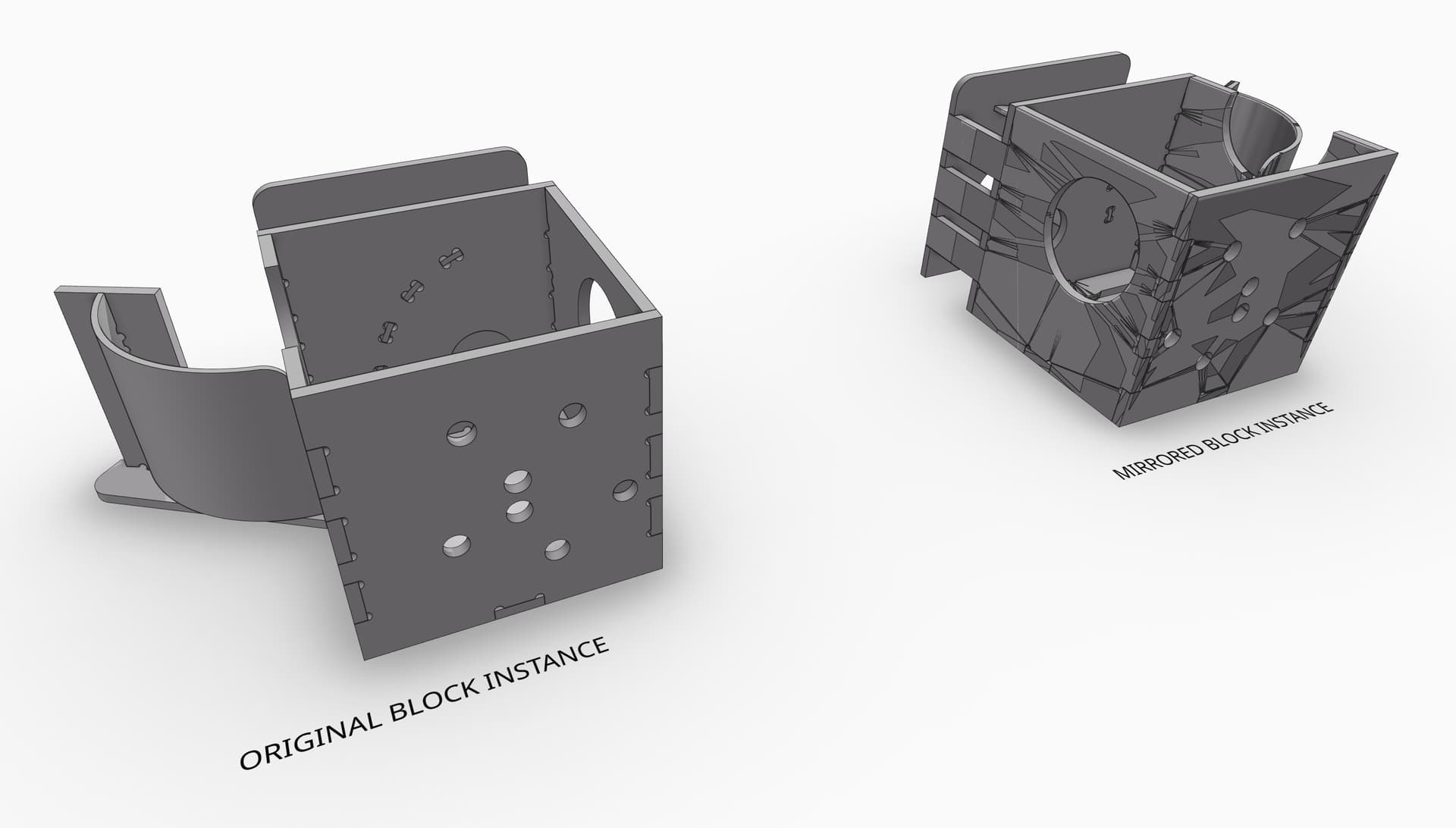
I’ve noticed some rendering issues with mirrored instances in the Speckle Viewer. This example is a Rhino block instance that has been mirrored.
(Speckle)
I’ve noticed some rendering issues with mirrored instances in the Speckle Viewer. This example is a Rhino block instance that has been mirrored.
(Speckle)
Hey @Domenic.G ,
This doesn’t look good. Can you share the Rhino model with us? You can upload it here or send a DM if you wanna share it privately.
Here is the Rhino model:
[9-23] Speckle Viewer Rendering Issue.3dm (3.9 MB)
Thanks Domenic.
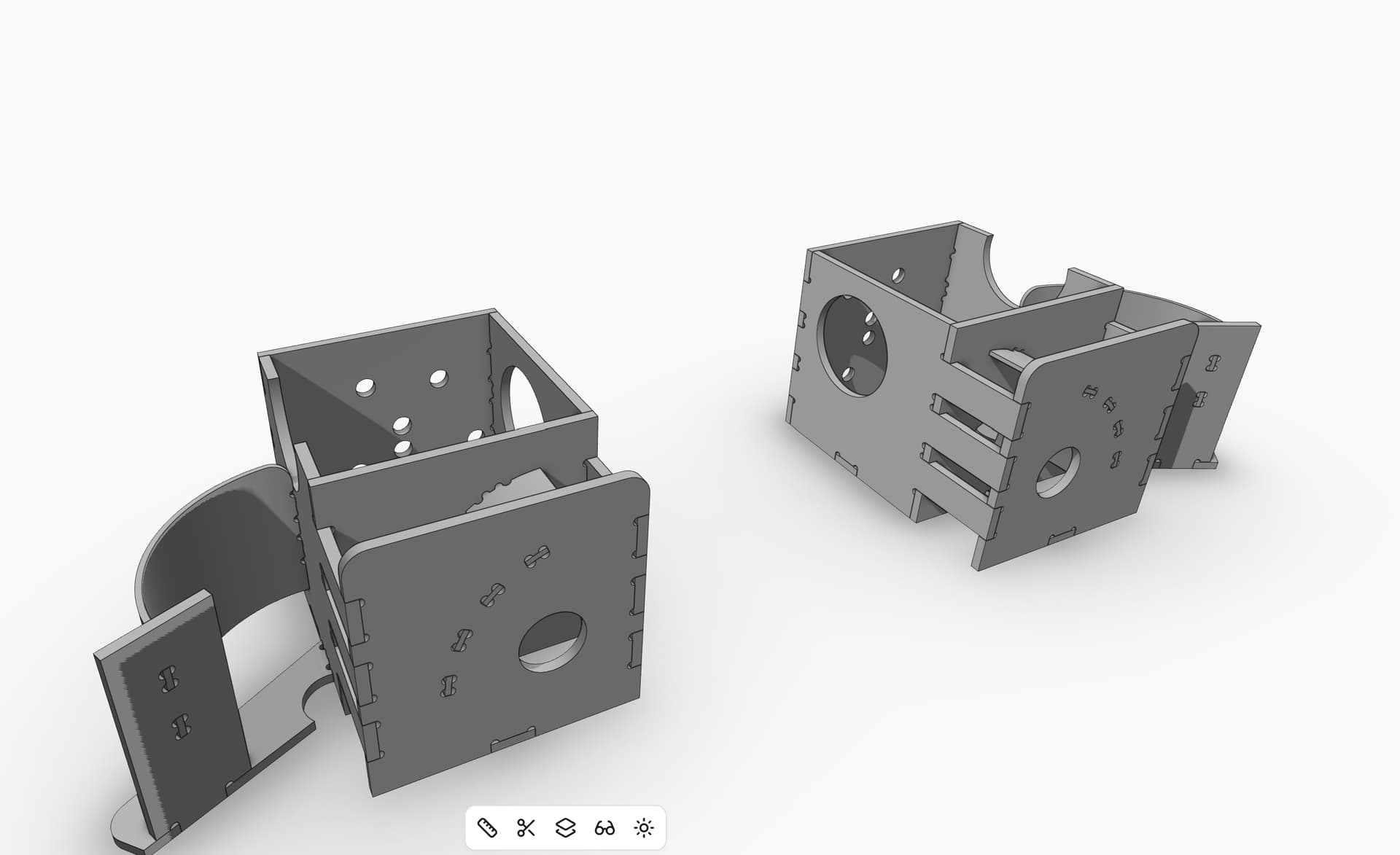
As a workaround, I found some success by sending from rhino with vertex normals.
This is part of the “Add visualisation properties” setting
Ah, good to know; I’ve been curious about what that setting did but I wasn’t able to find any documentation about it. I’ll start enabling that setting when I upload.
When you say “workaround” do you mean that this is a bug in the Rhino Connector, or is this an expected behavior that is addressed by uploading vertex normals (hence the “visualization properties” setting)? Should I enable this setting by default for all models for the foreseeable future to avoid similar issues?
At the moment, we’re still investigating what’s happening in the viewer. It could be a bug there with negative scale (mirrored) blocks.
I recommend using the vertex normals setting in general if you want the most accurate shading of rhino geometey in the viewer.
Got it, thanks!
[OT]
As pity as it is … I no more use any mirror tool in an CAD since decades …
I really work around by tediously copying, rotating or aligning.
Mirroring may work 95% as long as you stay in your source App. But if you need to export to other Apps, you likely get punished. From Microstation via DWG into 3DStudio Viz - all mirrored objects were just lost. No clue what is so problematic with mirroring.
And I still see constantly appearing such problems again on all software forums. Most times when collaborating with other 3D or CAD software, but still also every now and then inside the same App, like with generated drawing’s viewports or when using sets of complex BIM parts and such things.
I would not recommend my tedious workaround though, better to filing bug reports instead.
[/OT]
This topic was automatically closed after 180 days. New replies are no longer allowed.