I’m trying to visualize two IFC models** from the same project inside one Power BI 3D viewer
What I tried
In Speckle web → Used View all in 3D(federated view) → copied the URL → Connected in Power BI using Speckle connector
→ Result “Model not found”
Loaded each model separately using correct URLs → They load fine into Power BI
Then I created a federated query:
= Speckle.Models.Federate( { Model1, Model2 } )
The federated table loads successfully in Power Query.
But when I set this table as the Model Info in the 3D Visual, I get:
Failed to decode user info from data connector. Please refresh the data.
Even after refreshing, the same error remains.
Objective:
Display both models together in one dashboard with full interactivity (object selection, color formatting by data).
Questions
• What is the correct way to **federate models specifically for Power BI?
• Which URL should I use for federated model import — viewer URL or commit/object URL?
• How to fix the “Failed to decode user info”error?
I’m having the same issue with models directly uploaded from Revit, no matter federated or not.
All connectors are the latest connectors, and PowerBI reports have been updated following the correct procedure (i.e., import visual, visual-to-table, table-to-visual).
We have changed input fields on the latest connector.
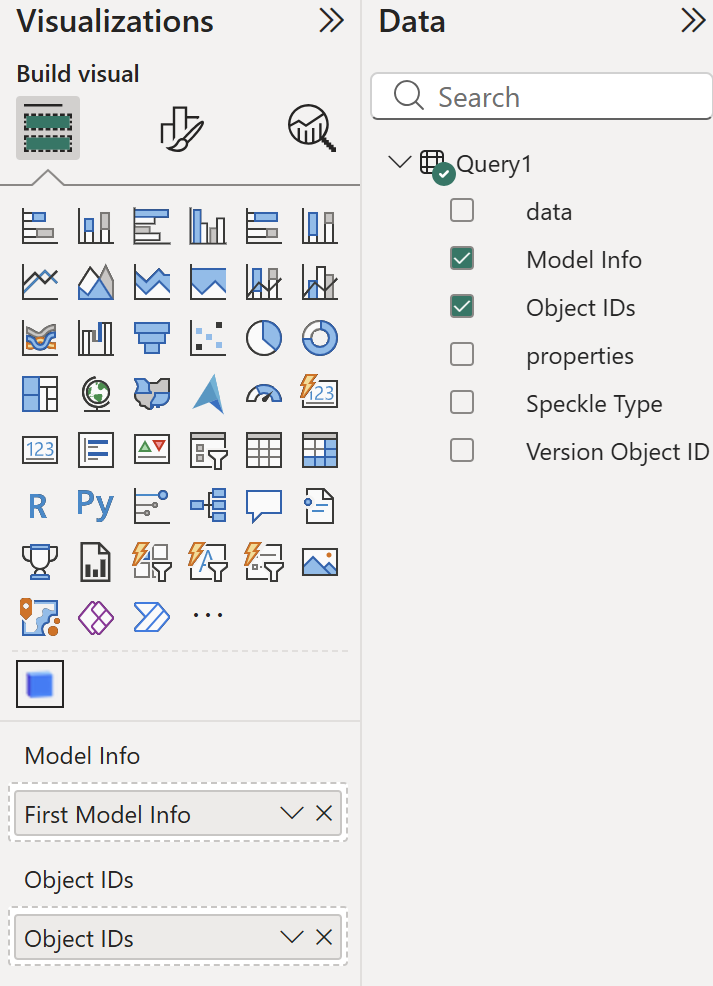
Previously we were loading objects whenever Version Object ID is dragged and dropped, and now we have ModelInfo field for this. Please make sure you drag ModelInfo column into first field of visual
all of my dashboards have been updated to include “model info” and not the version object ID.
I mean, the visual does not work if one does not put the model info does it not?
I keep having “Failed to decode user info…” and “Failed to fetch model data… (404)” errors repeatedly (and somewhat randomly) so I’d love to figure out how to avoid those.
PowerBI connector 3.4.3 had completely avoided any errors, but they’ve come back with subsequent connectors.
I discovered a minor bug in Speckle.Models.Federate() helper function and fixed it. This should solve your issue @OmBhartiya
Please update to v3.5.2.
@ihsangin Are you also using that helper function? Otherwise please update the latest, and if you still experience the issue let me know. I couldn’t reproduce any errors other than I mentioned above on my end.
Could it be possible that your network is on a VPN or some IT restrictions? Also if it’s possible, you can share your models with me and I’ll try to reproduce the errors you’re getting.
I used to use the other version where the model info was not necessary, but now I’m getting the same error message.
Could someone help me with the model info attribute? I searched for it in the documentation, but I’m still quite confused. Should it be an ID of the model version same for all objects? (thats what i have and still having problems)
You should replace and old version in your Power BI template and receive again the data with the new connector. Don’t use old queried data with the new 3D Viewer.
The best is if you start fresh from a new blank dashboard.