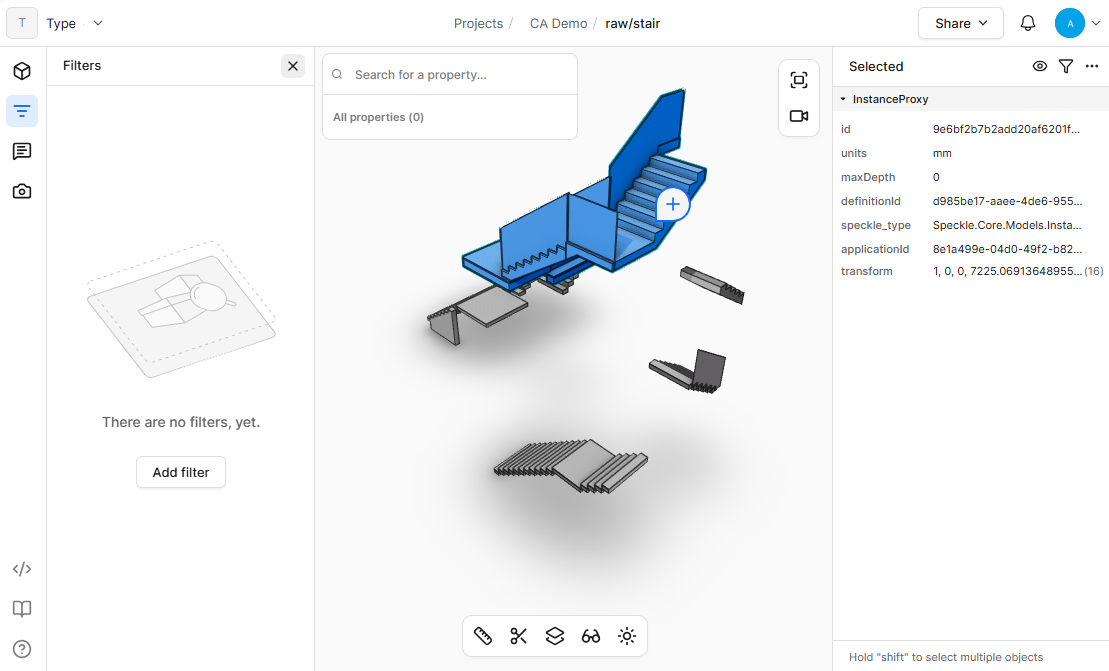
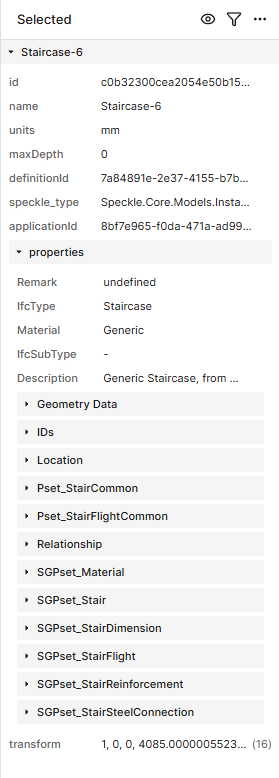
Nice job on the new filter functions. It seems to not work with block instance, it doesn’t show any properties options on the model where it only have block instance. See image below:
Sorry for the delay, but the fix has been merged to production. Can you check that this has solved your issue? Please let us know if you have any other issues or feedback
Hey @Andrew_Wallace , currently i am unable to read properties of an instance with Speckle Properties component, when loaded in Grasshopper, not sure if it is relatable to this fix.
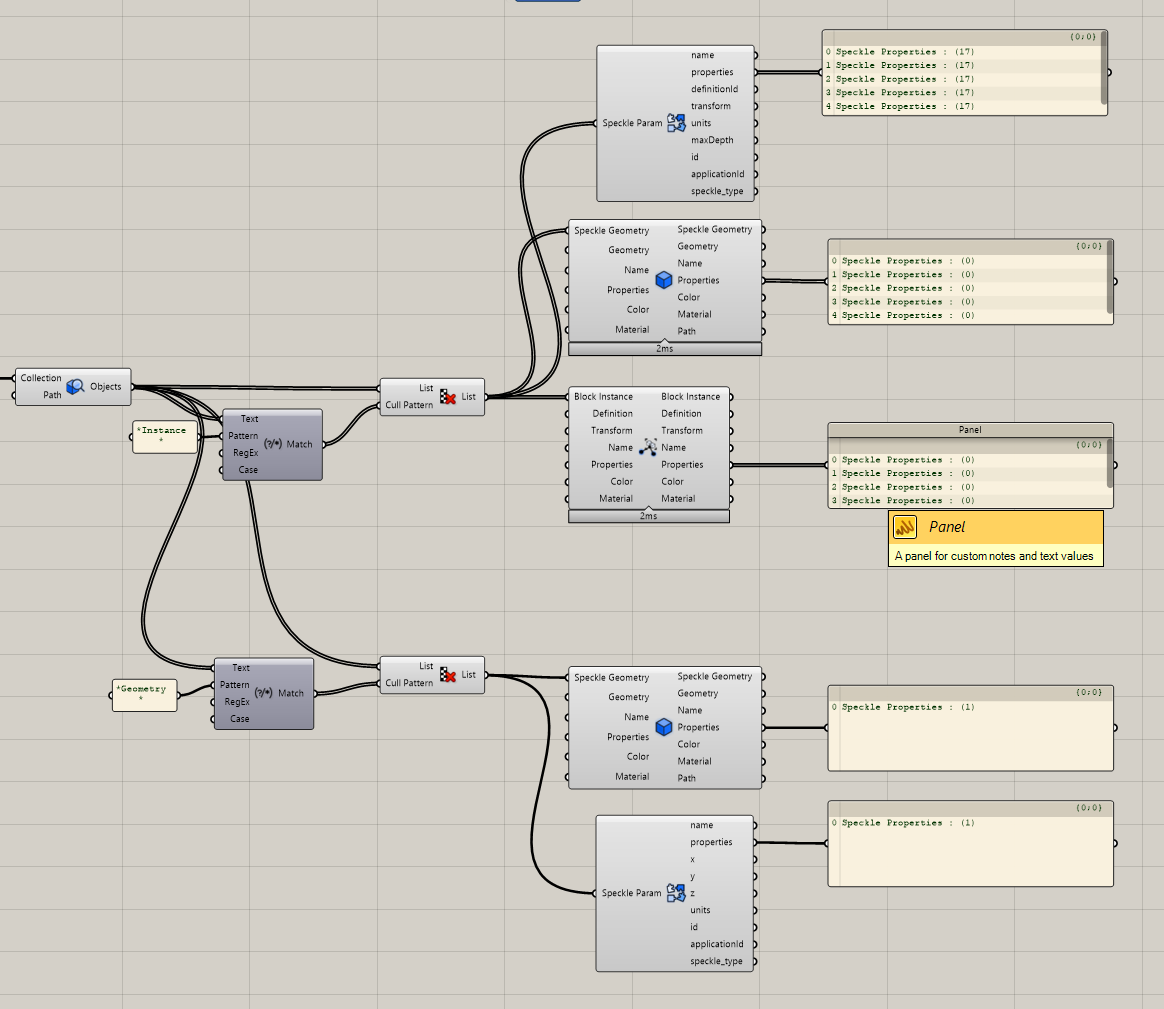
instead, this is what i get in grasshopper, with the Speckle Properties component, I cant get any properties out of instance. Only Deconstruct component are able to extract out the properties from instance.
I don’t think this is related to the filtering changes. I’ve passed this on to the relevant team, could you use deconstruct until we come up with another solution?
Hi @Ray_Yong , I can take a look at this. Would you be able to privately send me the grasshopper model with the blocks you are publishing?
p.s., on the Query Objects node, you can zoom in and add more outputs with the + button to expose type-based outputs with just block instances (instead of using the extra match text node)
Update - @bjoern just fixed both of these issues (missing properties on blocks, and the Query Objects node filters not updating values properly), and they will be available with the next release!
I’m having a similar issue to @Ray_Yong.
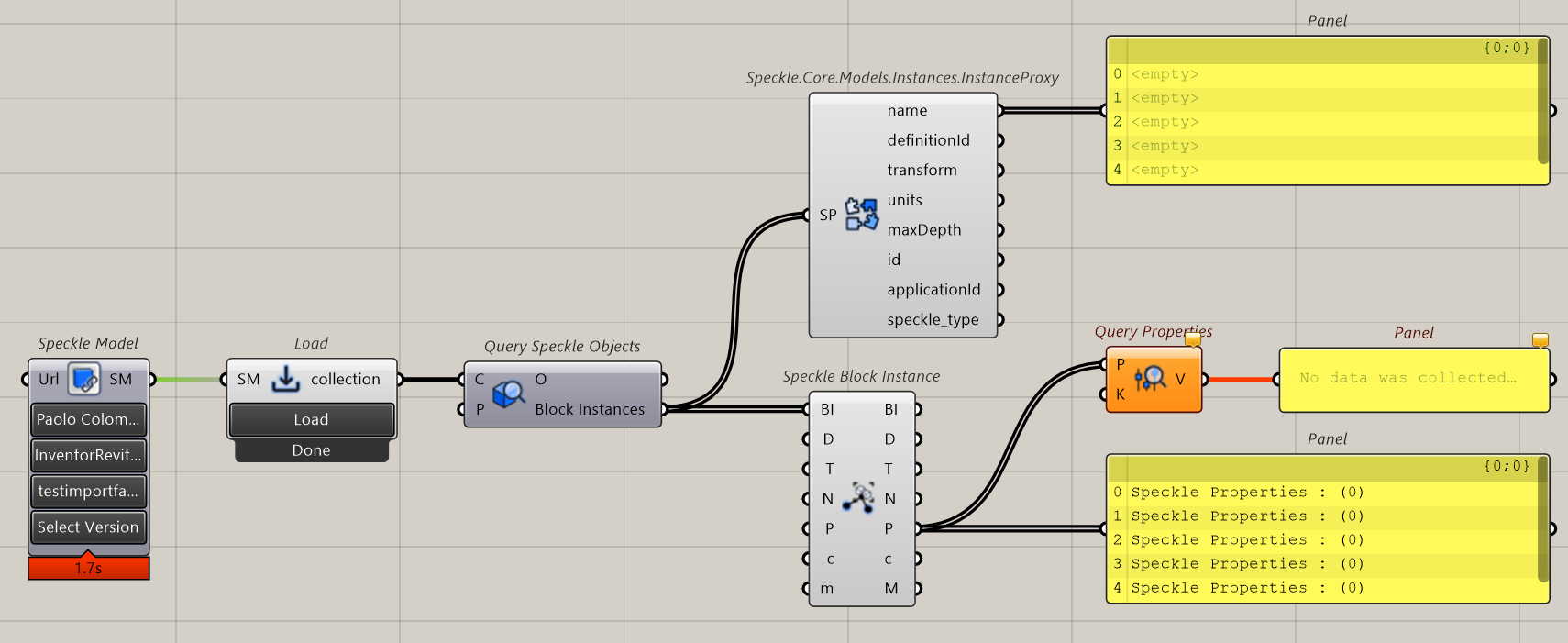
I’m trying to retrieve the properties of a Speckle Block Instance that was once a family instance in Revit. However, when I try to do this using both the Speckle Block Instance and the Speckle.Core.Models.Instances.InstanceProxy, it shows that there are 0 properties.
I’ve updated the Speckle Connector to version 3.11. I’m using Revit 2023 and the latest version of Rhinoceros 8.
Here’s the link to the Speckle model on which the parameters and properties are displayed: Speckle model