amagro
12 January 2026 17:16
1
Hello,
@bjoern
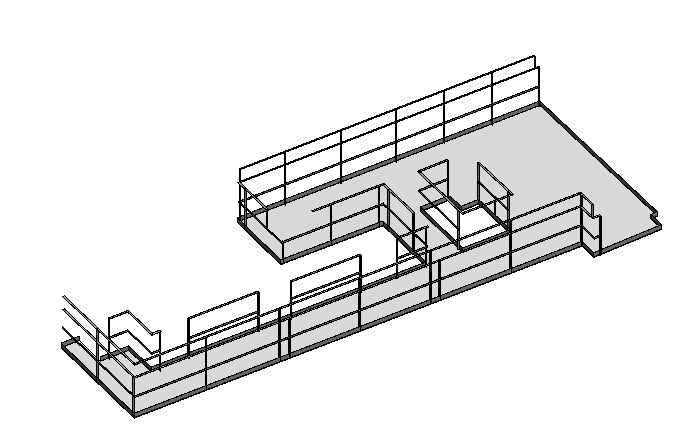
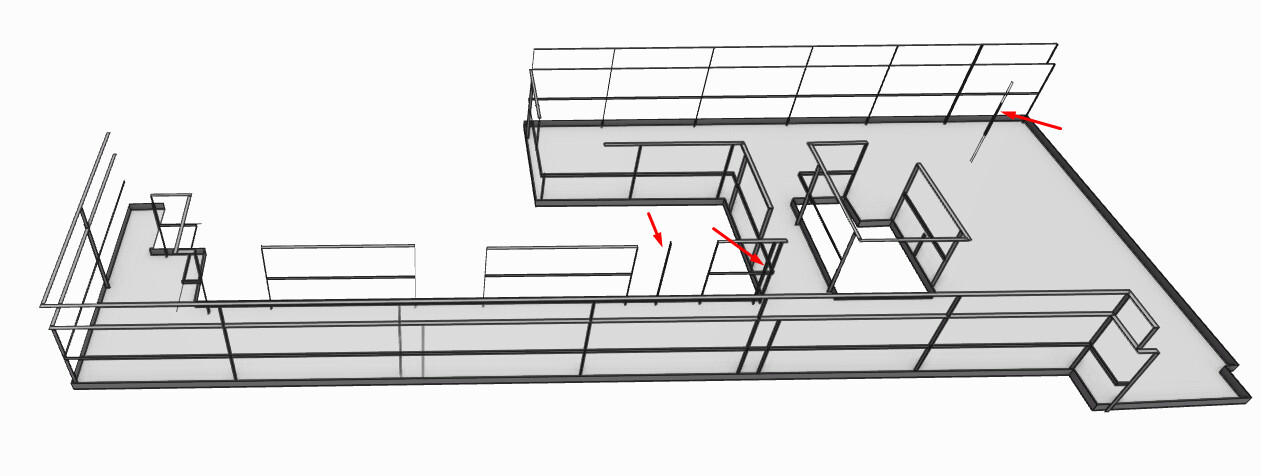
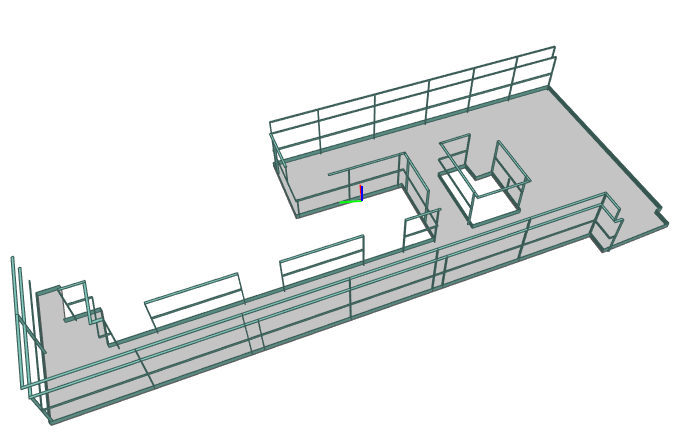
I’m working with Revit 2026.4 and the 3.13.5 Connector, and unfortunately I’m still having issues with “floating” parts. It’s strange because those parts do not exist in the original model.Selection .
In Revit
Floating parts in Speckle
Exported IFC from Revit
gokermu
17 January 2026 12:34
3
Hey @amagro ,
Can you share a reproducable Revit file with us? We’d like to resolve this issue.
gokermu
21 January 2026 08:59
4
Hey @amagro ,
Thanks for sharing the file with us. This issue is now resolved and will be released as part of the next release.
dev ← bilal/cnx-2993-imported-elements-not-published
opened 01:10PM - 20 Jan 26 UTC
This PR fixes imported external files (DWG, DXF, IFC, etc.) being skipped during… publish from Revit connector. Moved the INVALID check from the shared utility to `RevitCategoriesFilter.GetCategories()` where it's specifically needed for UI filtering, allowing imported files to be published while keeping the category dropdown clean.
BEFORE
<img width="1920" height="1044" alt="image" src="https://github.com/user-attachments/assets/e1b75b1c-9d0f-4b92-b79a-e0aba533bc7a" />
AFTER
<img width="1920" height="1044" alt="image" src="https://github.com/user-attachments/assets/6c9b3423-c6d9-4754-85f2-c621f159fefc" />
REVIT
<img width="1353" height="842" alt="Revit_uCyHKeB3FU" src="https://github.com/user-attachments/assets/d5759156-8fae-4ad0-aca4-6230ff73bab8" />
1 Like
system
11 July 2026 17:17
5
This topic was automatically closed after 135 days. New replies are no longer allowed.