Hello!
I am working with the latest IFC updates! Great work and thanks for enhancing the IFC connector. It is very important to have a reliable IFC connector.
I am now looking at the materials and struggling to find the right information. I understand that the renderMaterial is still the only material which is primarily used for visualizaion pruposes. Is this correct?
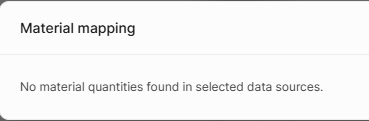
We miss some more info, but as a minimum, it would be nice to have material names. Yet, there are two problems I am facing.
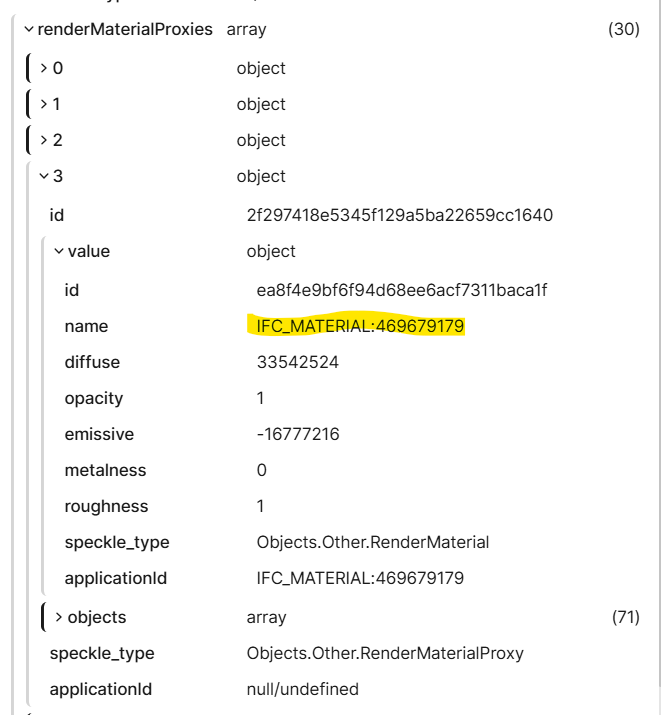
1. Single-material elements
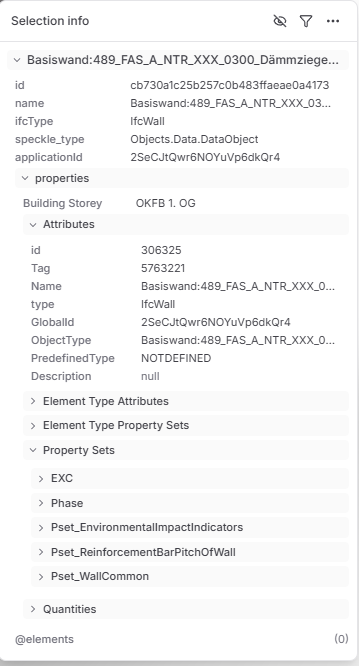
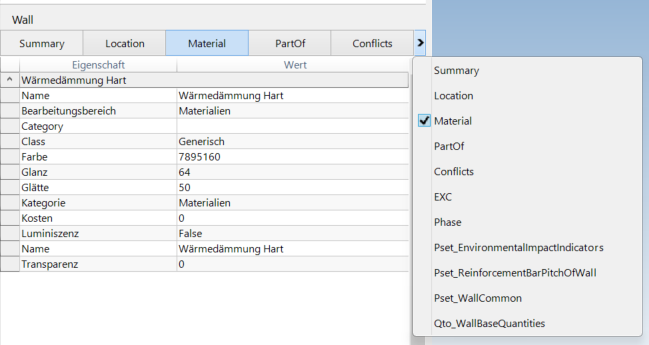
The renderMaterial is the only available material information container. When using IFC, however, the renderMaterial only includes a number in the name (see image below). I also didn’t manage to link the number to any other object in the IFC file or Speckle object. This issue seems to be the same for IFC2x3 and IFC4 from both Revit and Archicad.
2. Multi-material elements
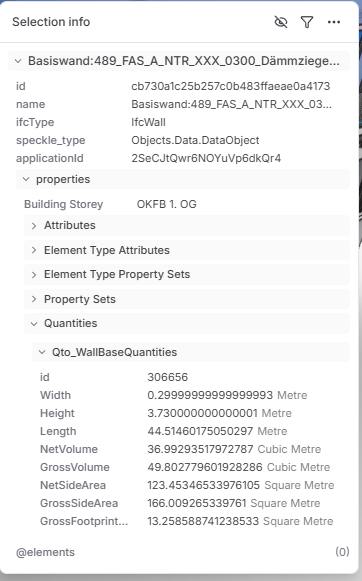
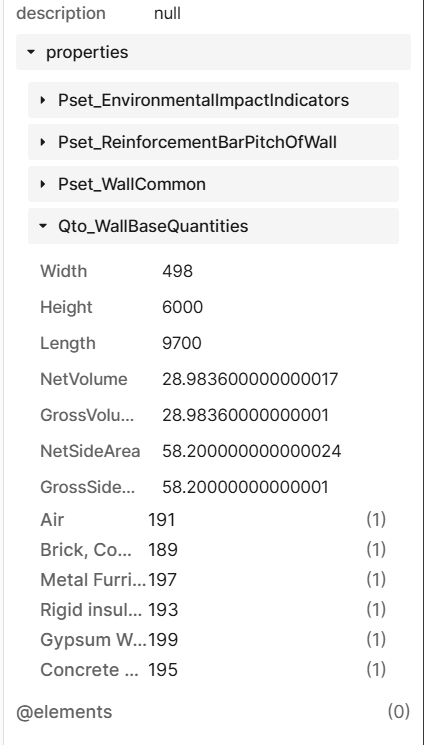
Now, when having multiple materials in one element, like is often the case with layered walls, I suddenly have material names in the quantity sets. These are only names without further descriptors. Essentially, they could just be random properties in the set, so it is quite hard to identify them as material information without human interpretation. It would be nice to have them more structured. The second issue relates to files using the IFC4 Reference View Export from Revit.
Could you share some insights on whether I missed something to fix the problems, or if you could consider implementing these changes? I believe the first one should not be too complicated, as you somehow manage to extract all materials, including the right name, which should be straightforward.
Thank you!
Kilian