I have imported IFC files into a Speckle stream but after import into Blender I loose most data except geometry and materials. Is it be possible to keep information, for example, I would like to identify IfcSpaces and IfcWindows.
Unlike Unreal or Twinmotion (?) Blender itself can’t hold the information part of a BIM Model.
If that’s important you can install the Bonsai Extension in Blender. Bonsai (former BlenderBIM) can open and natively work with IFC files. This way you keep access to all BIM/IFC information.
The downside is that it is hard and not recommended to try to keep the Bonsai IFC and Blenders blend file in synch. IFC does offer Material support, but nothing fancy like nodes or procedurals. Such Blender only features will be lost when you save and reopen the Bonsai IFC.
If you need both, the whole BIM information and cool Blender Materials, you can link each IFC Material from Bonsai to Blender Materials from an external blend file.
If it is just about getting the IFC into Blender, you can open the IFC with Bonsai, save the blend file and forget about Bonsai. As said Blender will skip all deeper IFC Information like PSets but you still have the geometry, material and assignments to adapt and overwrite - and the BIM Hierarchy Site/Building/Stories by collections and the IFC top Classifications Walls/Doors/Windows/… by the object naming in Outliner.
Hmmh,
but basically you should be able to get mostly the same from downloading the Speckle model (?)
OK, I see the Speckle Objects Naming is not always by IFC Classification. I think that also depends on the IFC Exporting source App. But for me here that looks still quite useful enough to find Spaces or Windows in Blender by searching in Outliner …
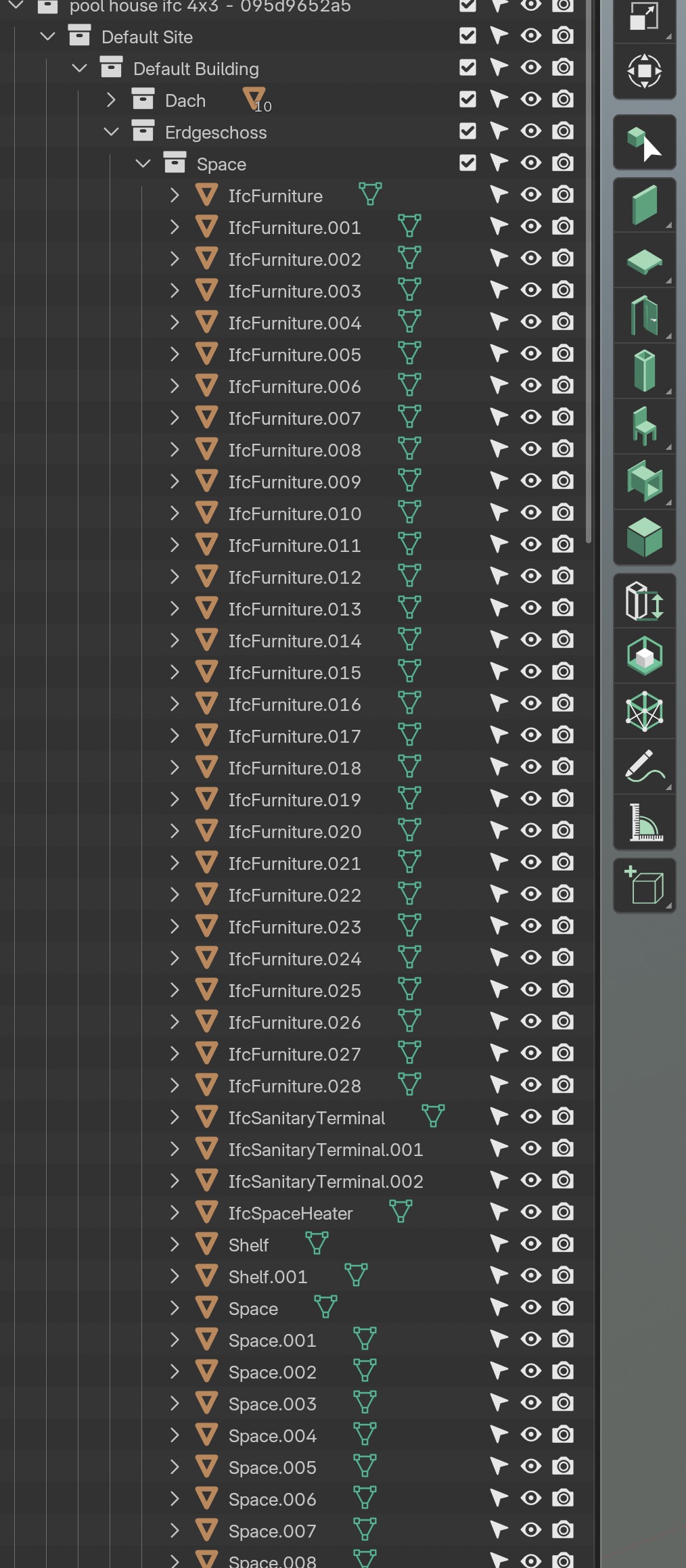
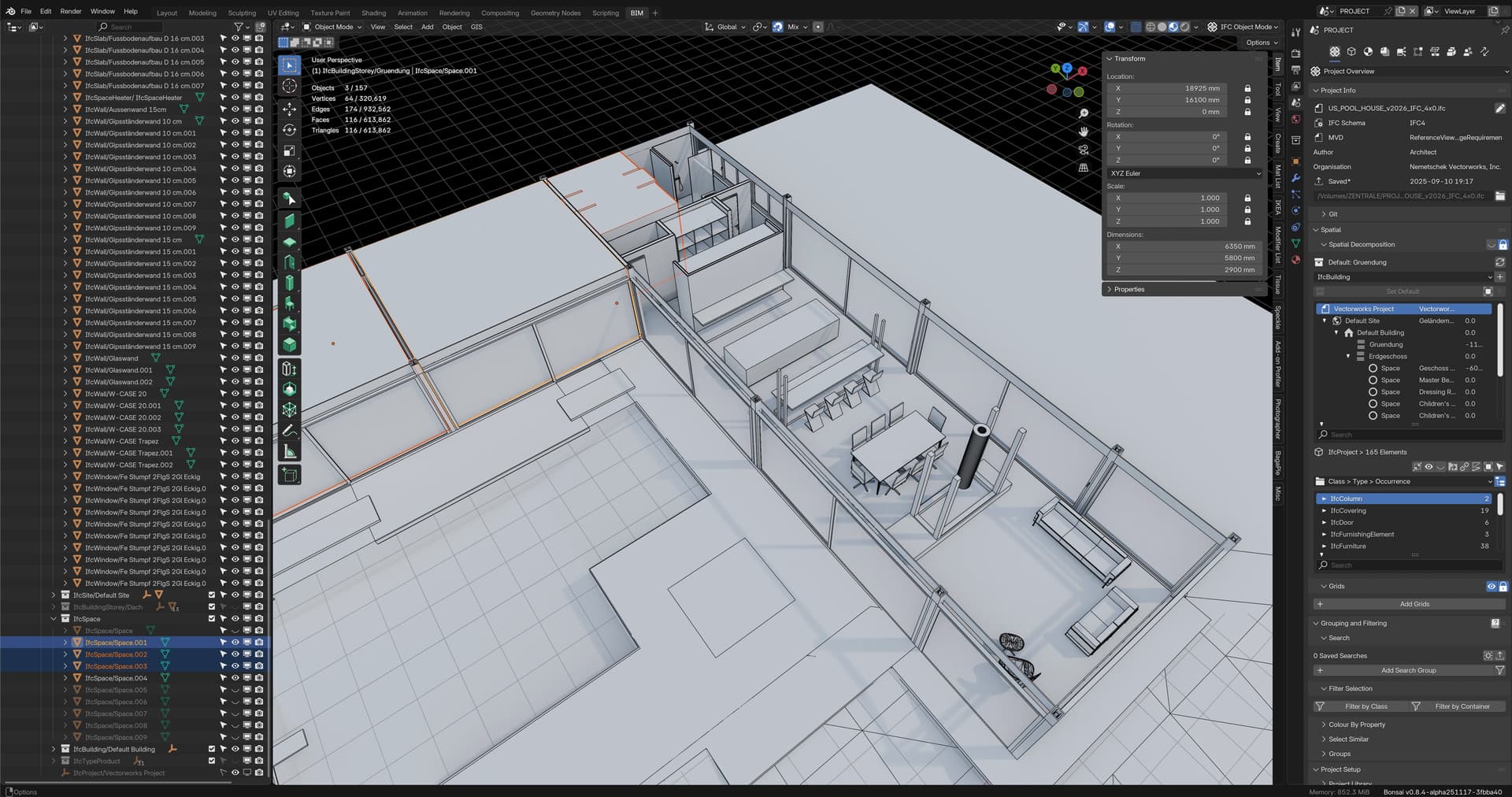
While directly loading the IFC in Bonsai would look like this :
(More of the IFC hierarchy integrated in Objects Naming)
Thanks. Naming representing IFC type would be very useful or at least as a custom property. Anything to tell a wall from a window if they have the same material.
I wonder why some furniture elements reside in the “Space” Collection when loaded from Speckle, opposed to the direct IFC import in Bonsai.
Could be that there is something to improve in Blender Connector.
On the other hand this was a just a demo file I did not myself and I am not 100% sure if it was the same IFC or file or version I had uploaded to Speckle.
Do you know from which App your IFCs were exported and do you have an example of how your Blender naming and hierarchy looks vs Speckle’s, IFC or CAD App ?
I have quite varying IFC results, even between Vectorworks vs Bricscad.
So far in my tests I did not notice that I could not find or sort my objects in Outliner.
Do you use the latest Speckle Blender v3 Connector 3.3.0 ?
(I still stuck with 3.2 as it is so tedious to manually install on Mac)
We have a PR for this in the making. It’s coming soon.
2 Likes
This is great news. Thanks. The other way around would also be very useful.
Max
What do you mean by other way around? Sending properties/IFC properties from Blender?
Yes, sending custom properties from Blender to Speckle is very useful and used to be available on previous versions of the Blender connector.
1 Like
This topic was automatically closed after 180 days. New replies are no longer allowed.