Hello,
Description
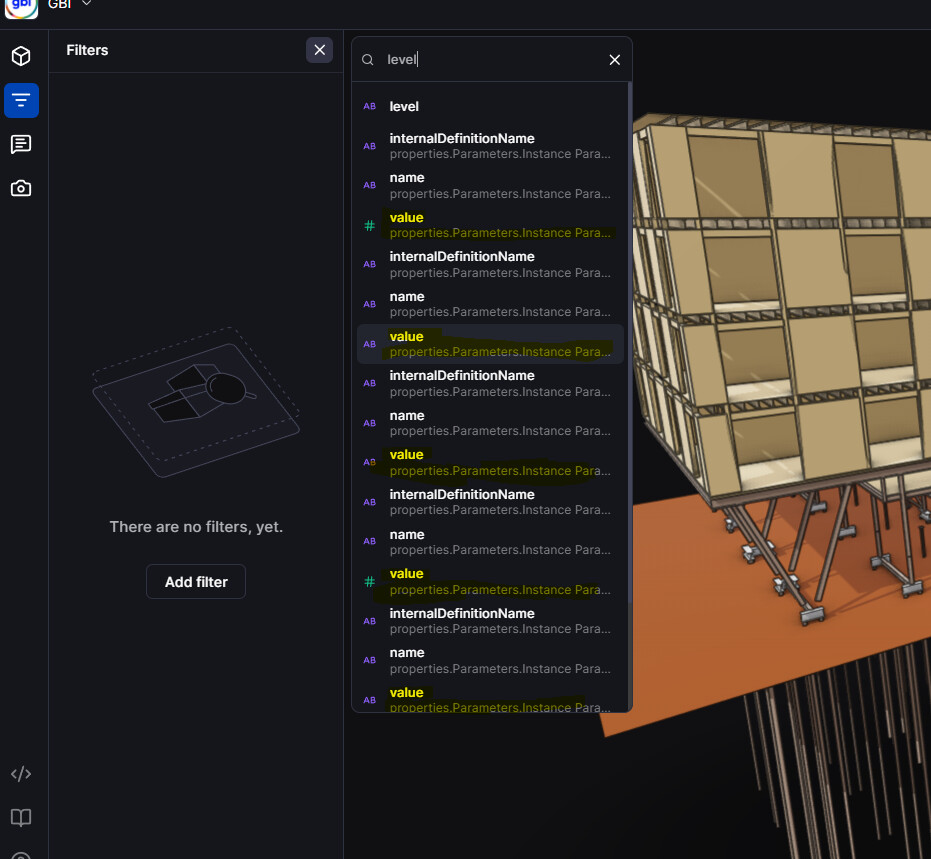
When adding filters in the 3D viewer, it’s difficult to distinguish the exact origin of the parameters.
- It looks like the
full nameis already functional in the background. - However, the interface doesn’t allow us to see the full path or the complete text of the parameter, even if the cursor over the full name ?
Concrete example
When I want to add a filter based on the Level parameter, several options appear. Since the paths are truncated, I need to test each one manually to figure out which one is correct.
Suggestion
Allow displaying the full “path” of parameters (tooltip on hover, expandable view, or adjustable column width ??).
Thanks!