In most BIM coordination software, you have a global setting to make certain things visible or invisible, for example:
- Rooms and areas
- Model origin
- Opening elements
I think this would make a lot of sense for Speckle as well.
For example, we usually sync our models to Speckle including rooms and areas, so we can evaluate certain building metrics in our Intelligence dashboards. However, when opening the model in the viewer, the rooms overlap with the building geometry, creating unwanted visual artefacts:
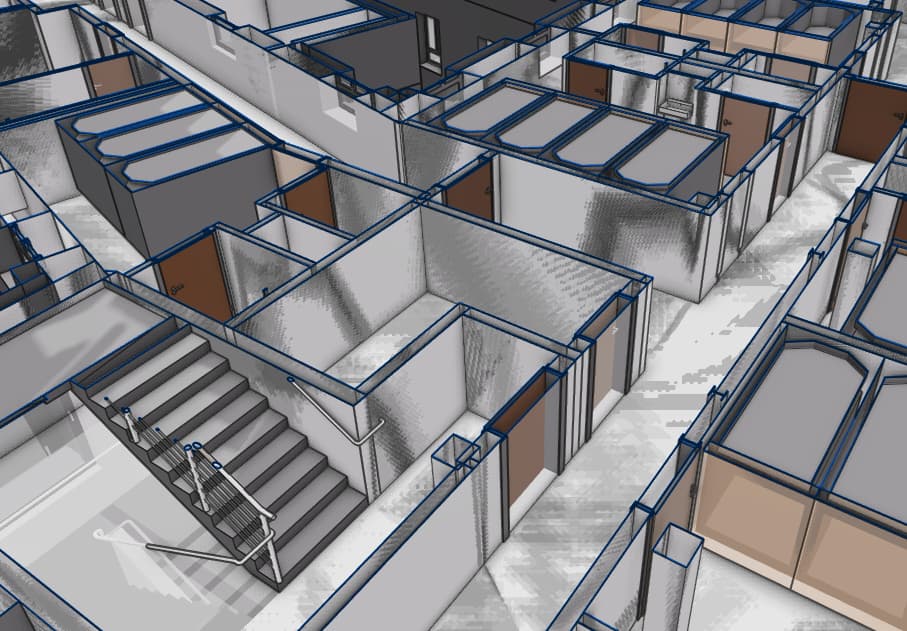
So currently, my “step one” of creating new Speckle models is setting a new home view with a filter applied that hides rooms. Generally, it would make things easier for us if we had a quick and easy way to hide / display rooms
