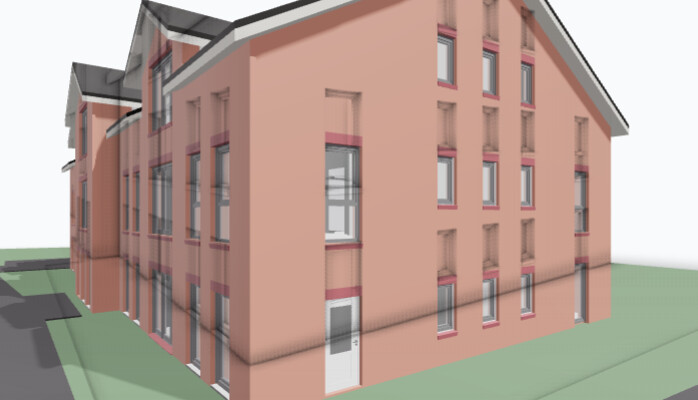
I am looking for a way to disable ambient occlusion (AO) in my renderer. I am currently working on a two-point perspective, which causes a mismatch between the AO and the geometry, as you can see here:
However, AO should display properly as long as it gets the correct params. If you can give me more details about what you are doing maybe we can figure out what’s wrong.
Thank you for your reply. That worked straight away and is a good temporary solution. However, perhaps we could also find a way to pass the updated frustrum to the ‘AOPass’ and ‘EdgePass’?
I mention the edges here because the same ‘issue’ affects them too.
To achieve the two-point perspective with the camera, I do this:
Happy to hear this works as a temporary solution at least.
I’ve looked into the issue and internally some passes (like Edged and AO) set their own camera view offset when rendering, so the values you compute are being overwritten for those passes.
What you could do is extend the pipeline you are using and override the render function, like for example if you use DefaultPipeline
class MyExtendedPipeline extends DefaultPipeline {

public render(): boolean{
  ... // copy over existing implementation
  ... // and just apply jitter on top of existing projection values
  } else if (camera instanceof PerspectiveCamera) {
      camera.projectionMatrix.elements[8] += jitterX / this.drawingSize.x
      camera.projectionMatrix.elements[9] += jitterY / this.drawingSize.y
  }
  ... // whatever is left aftewards
}
}
So basically you are adding the jitter on top of whatever offset you already computed by yourself.
It’s not ideal, as you’d have to copy over code, it’s also untested of course. Also, if you want to apply this to all of your pipelines you could probably just overwrite Pipeline’s prototype with the above instead of extending each derived pipeline and changing the render funtion.