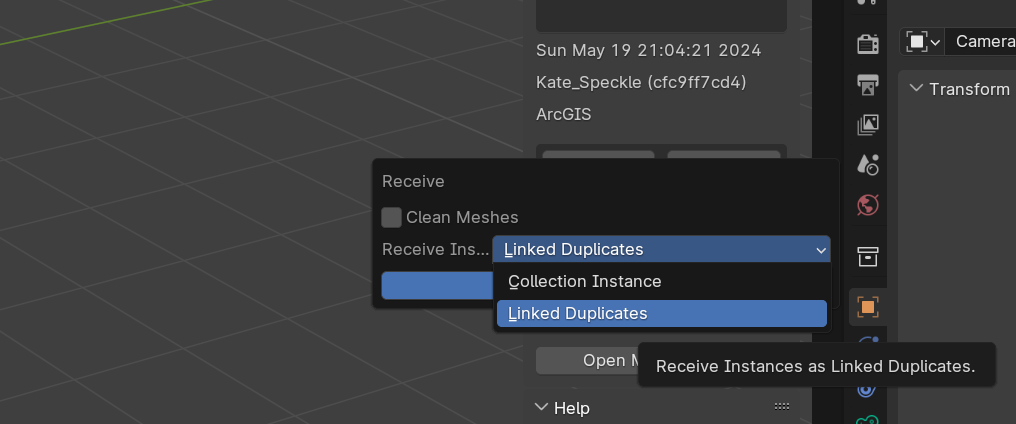
If you’re receiving Revit family instances in Blender, and they are seemly non-editable. This is because, by default, we receive all family instances in blender as “Instanced Collections”.
There’s two options I can point you towards:
- You can edit instanced collections, see my post here: Editing Streamed Rhino Blocks in Blender - #2 by Jedd, does require a few extra clicks vs editing normal blender objects.
- Or you can tell the Speckle connector to receive instances as Linked Duplicates instead.
Family instances will then simply receive as normal (potentially multiple) blender objects. You’ll loose the grouping instance structure that you get with proper Collection Instances. But if you prefer easy editing, then this option likely is preferable.
This sounds closer to your expectation.