Hey, @David_Kekesi!
That’s it! In Archicad it is possible to set up a custom IFC translator and export the properties in a cutomized way, and we use it often to add some specific info to new properties.
You can access the IFC translators available, as follows:
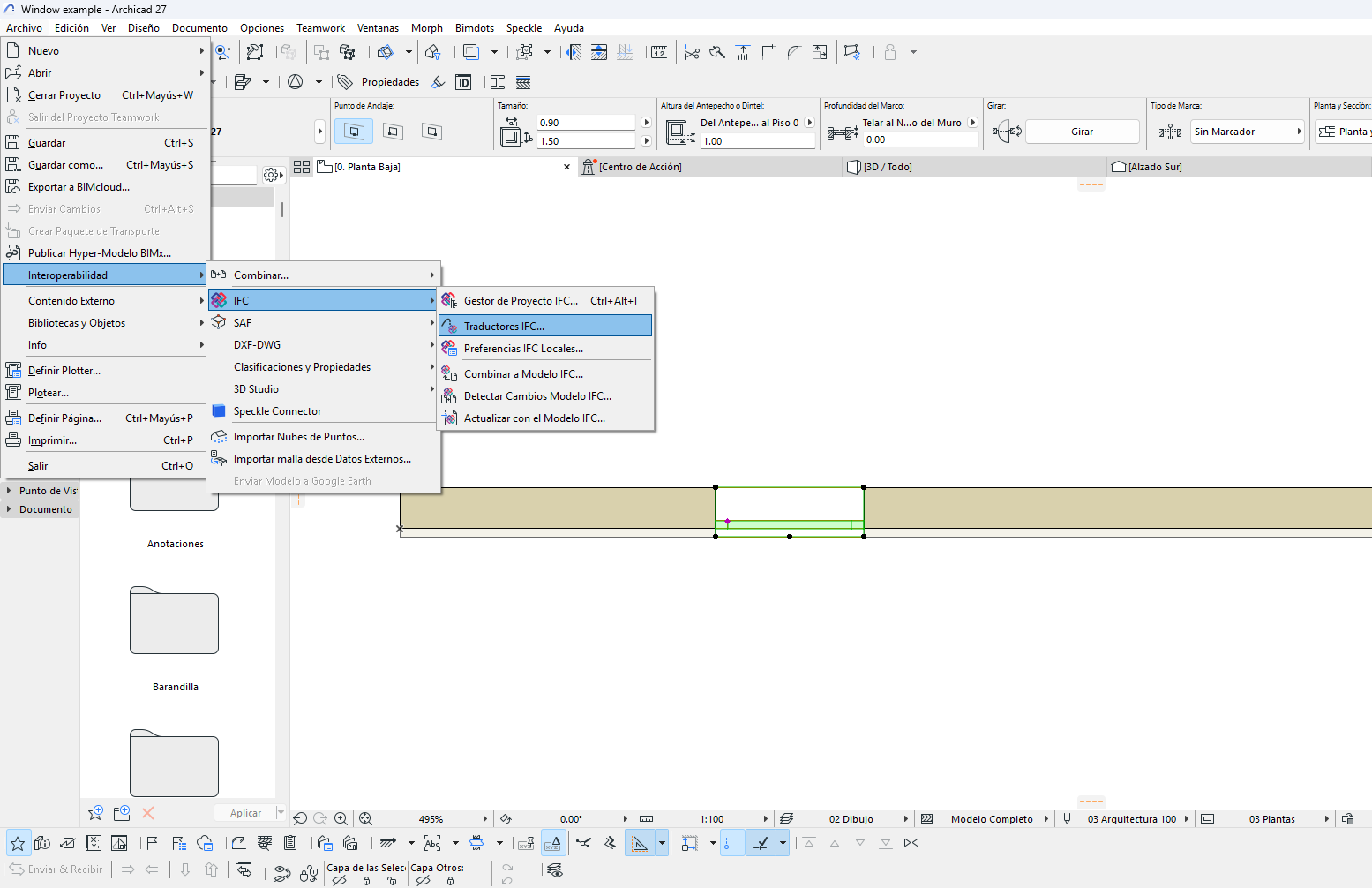
In the following window, there’s a bunch of import and export translators available. There, you can create a new export translator clicking on new... or use an already existing one:
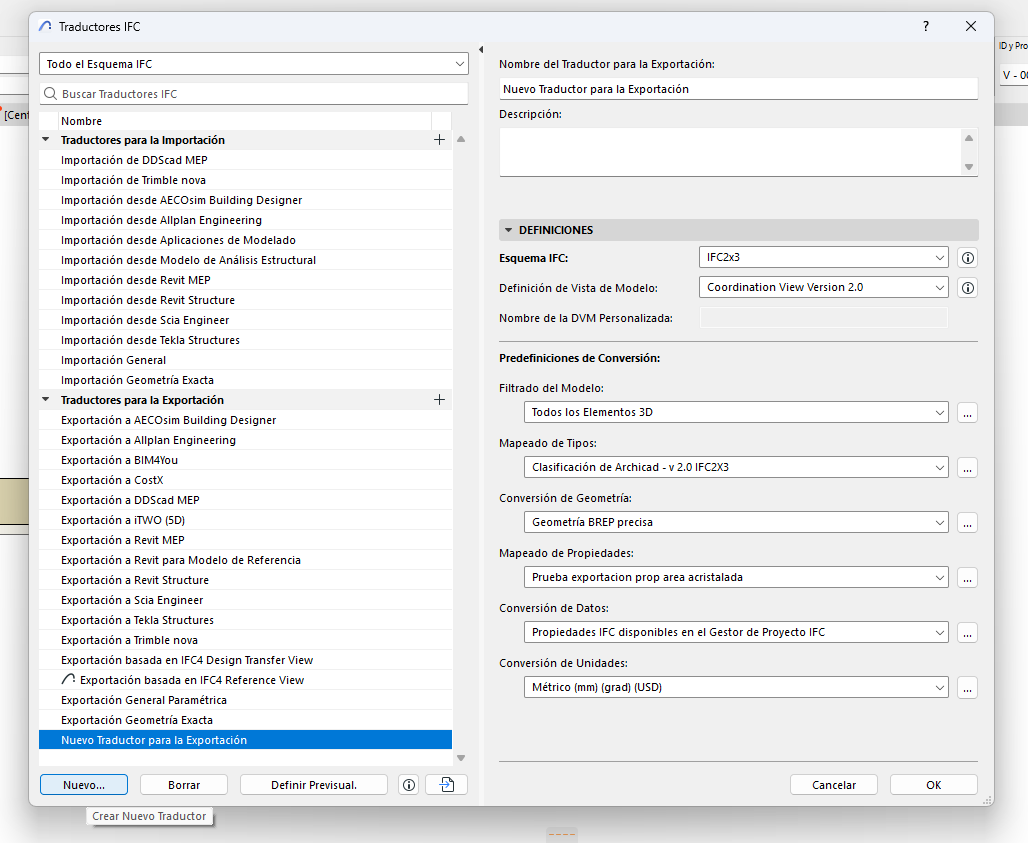
On the righ side of the window there are all the options that can be customized. In this case we are editing the Property Mapping.
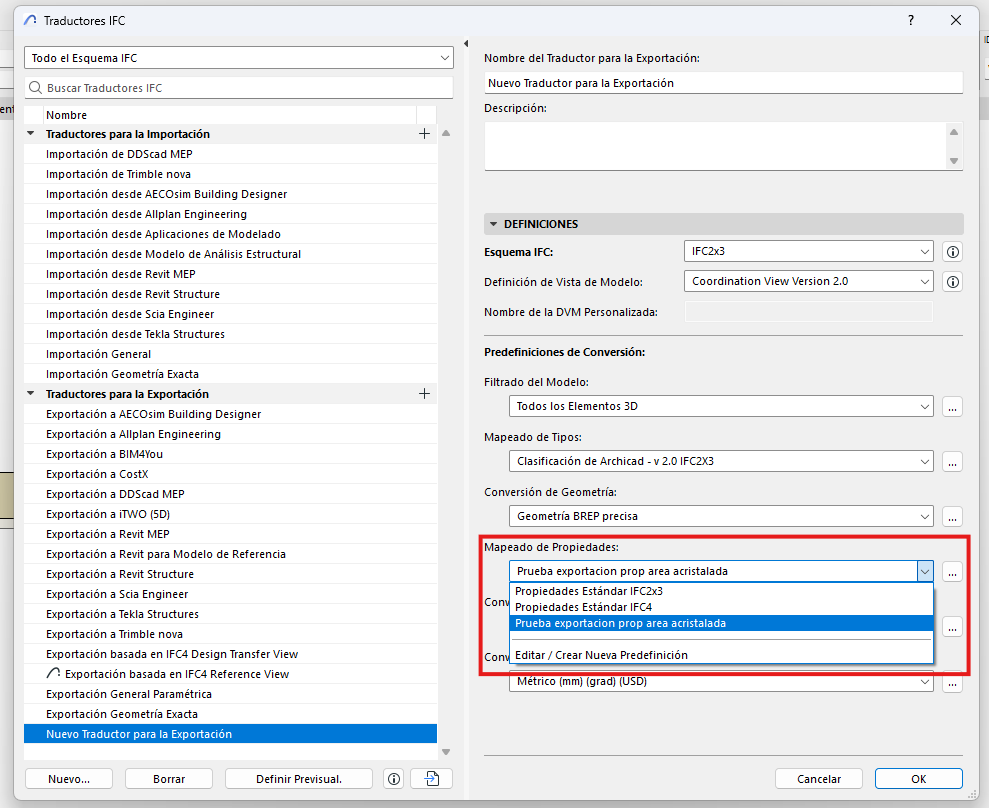
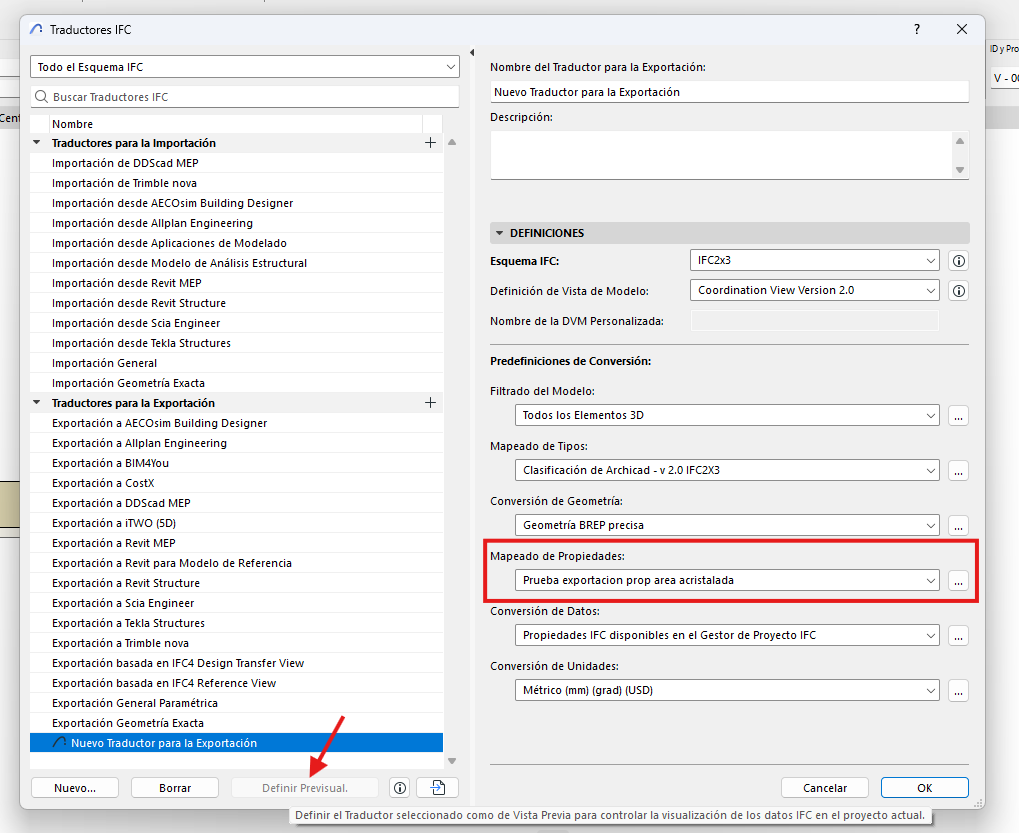
I created a new Property Mapping option. To do so you can click on the three dots on the rigth or on Edit/Create a new predefinition. This will open the following window:
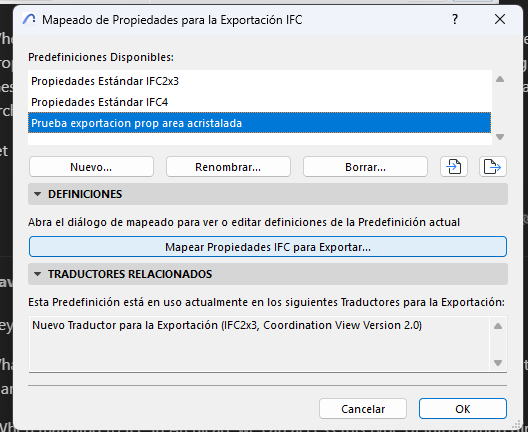
By clicking on Map Properties IFC to Export... the following new window will open:
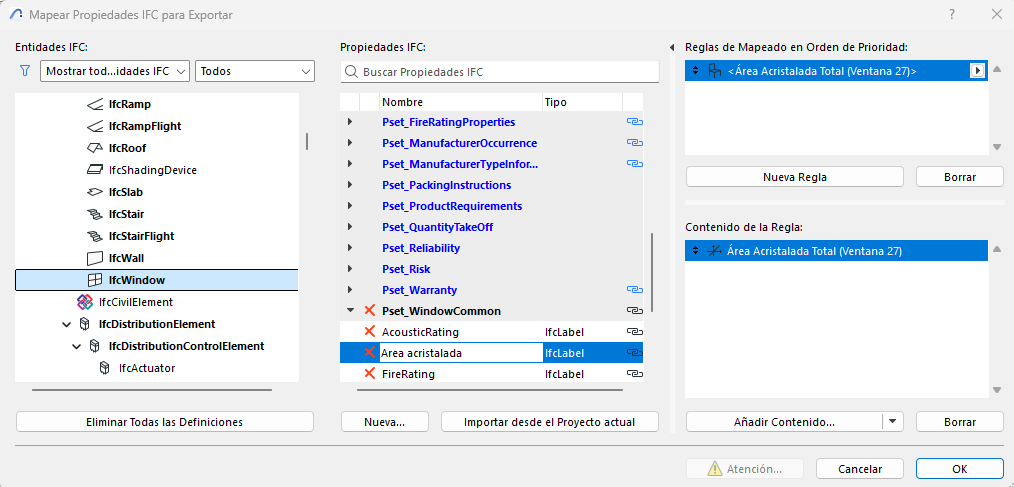
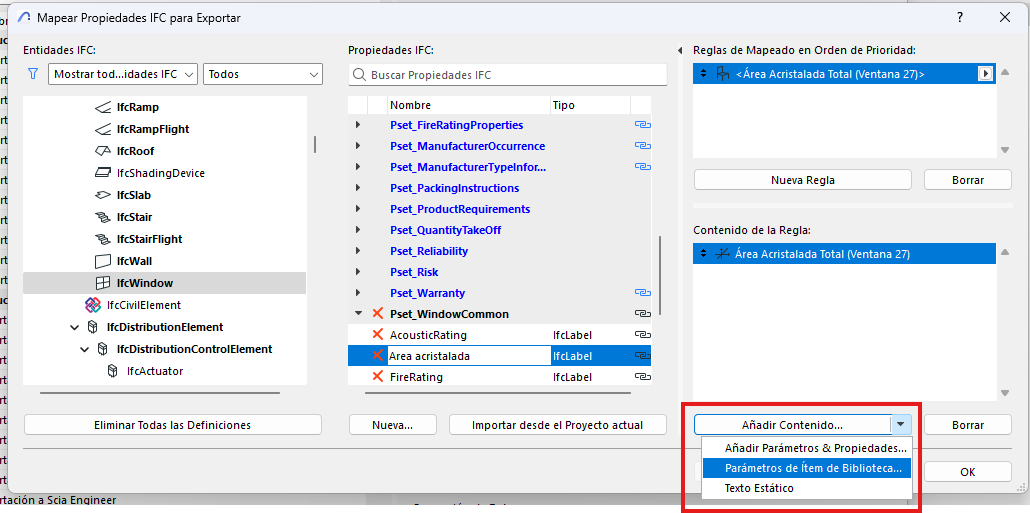
Over there you can edit the exporting properties as wanted. In this case first I clicked on IfcWindow entity. On the IFC properties column I added a new property inside Pset_WindowCommon called Area acristalada. Then I generated a new empty rule on the top right side of the window and inside the rule added the Área Acristalada Total from the Window. To do so I clicked on:
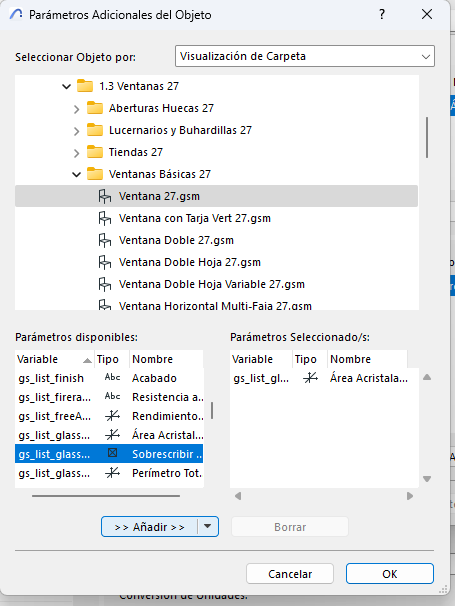
Over there I accessed to the window I added to the project form the object library and searched for the right variable in the available parameters column and added it by clicking in the >> Añadir >> button:
Once the Property Mapping is ready, I selected it and set the Exporting Translator as the default clicking there:
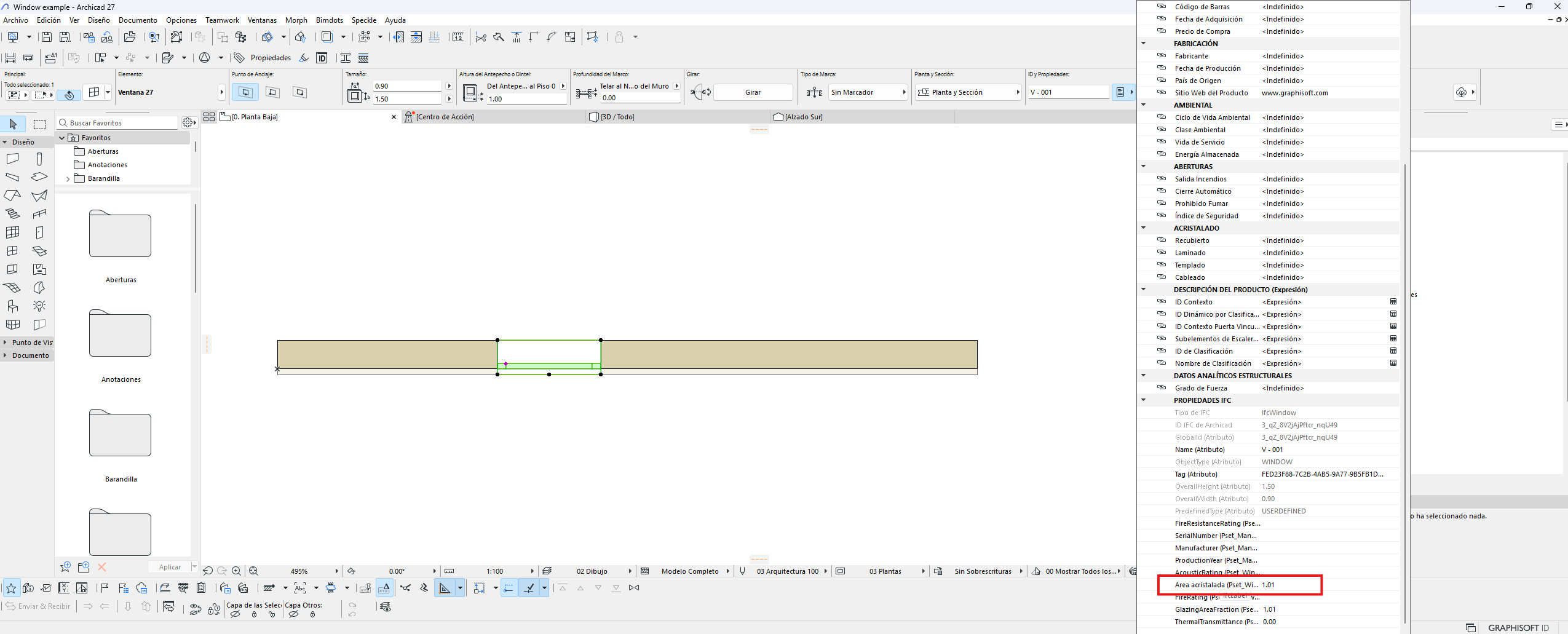
Now the Area Acristalada appears in the Properties tab:
I hope this explains well enough to help you finding a way to help me! 
Thanks again!